Alarm management
Last Updated:2025-11-14
Application monitor alarm management
Add application monitor alarm strategy
- Go to the Application List page, then click an application name to open its Details page.
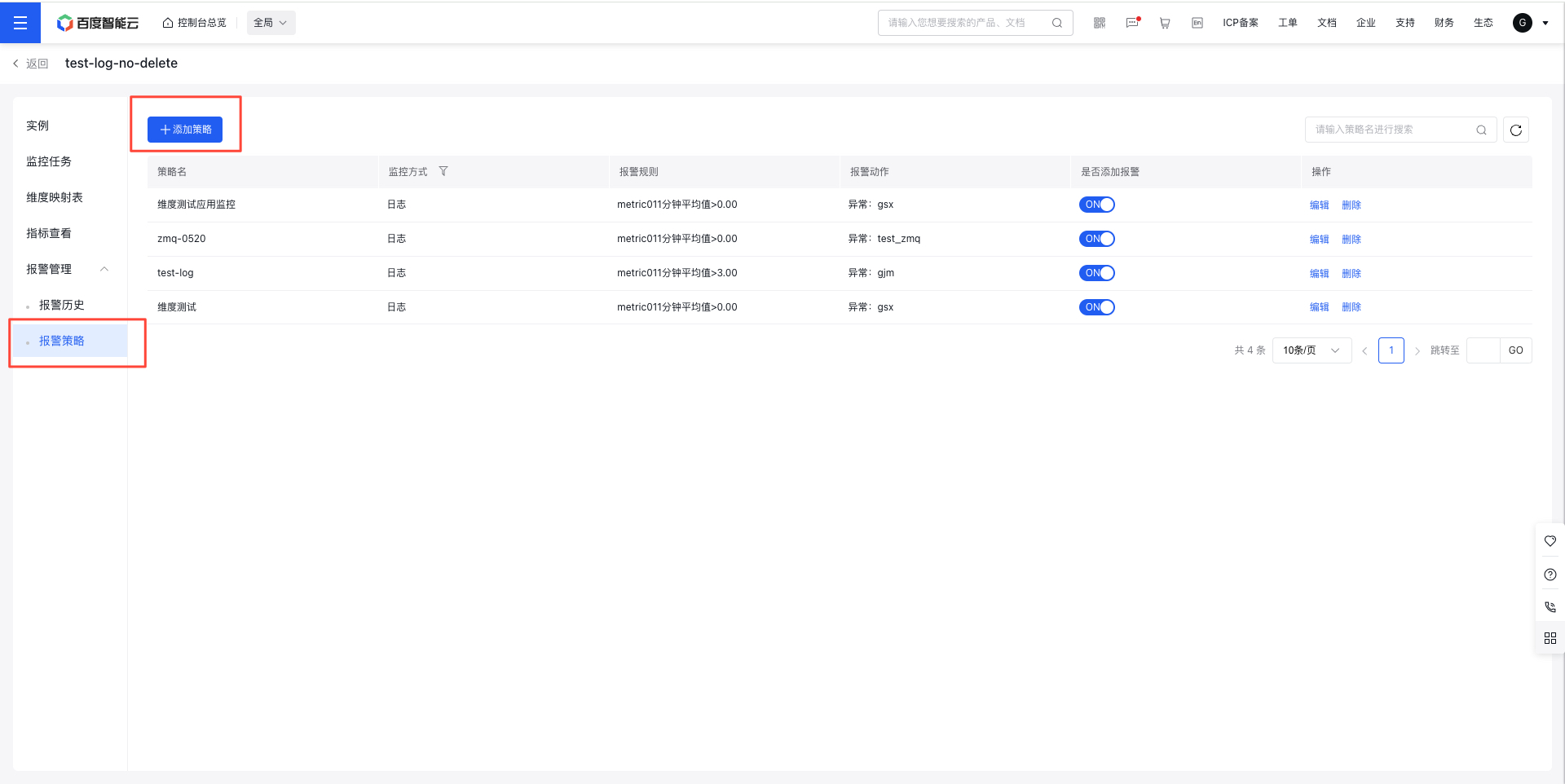
- In the left navigation bar, click the Alarm Management tab, then select Alarm Strategy to access the Alarm Strategy page.
- Click the Add Strategy button to navigate to the Complete Form page.
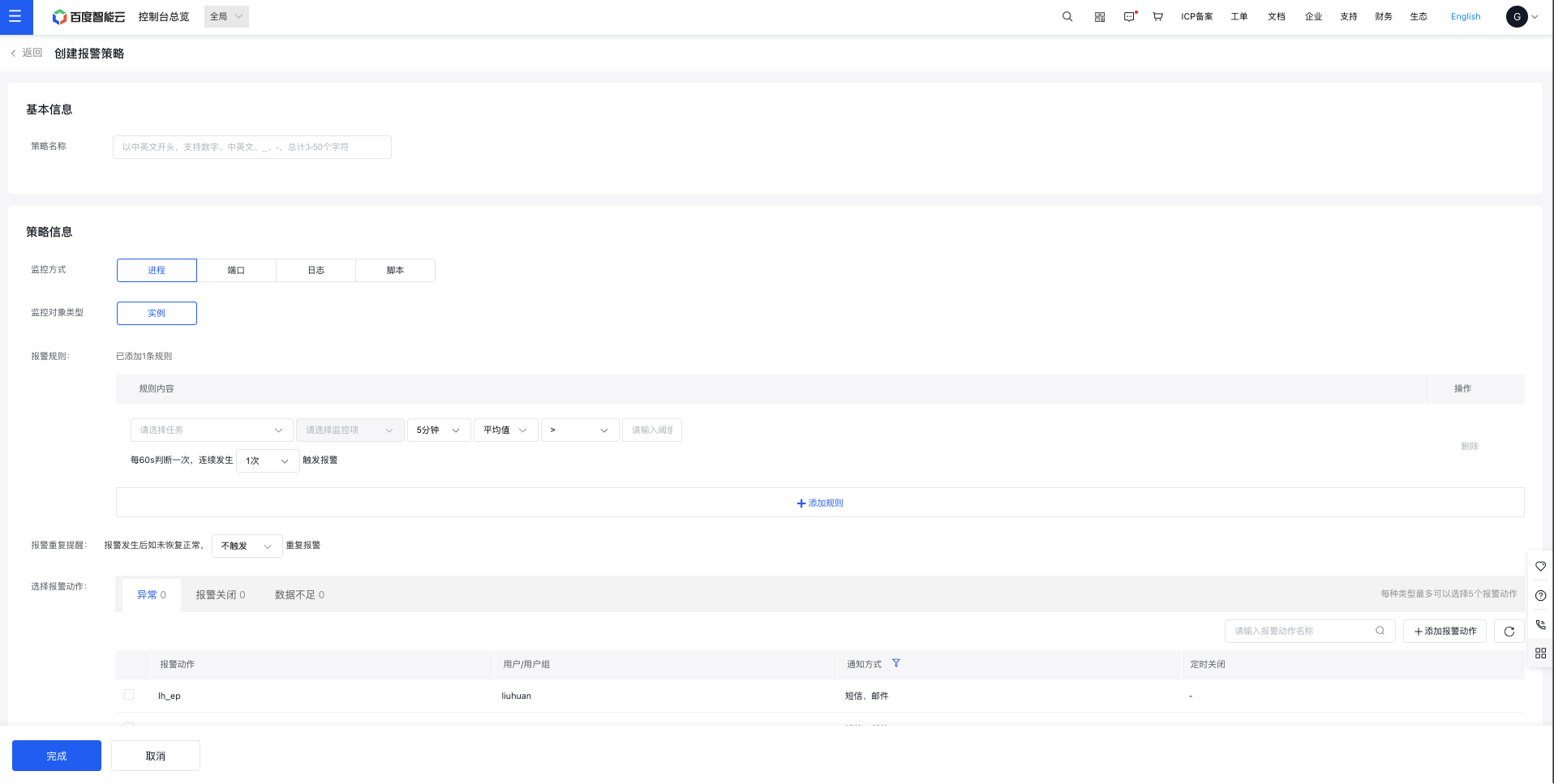
- Fill out the alarm strategy form to complete the creation process.
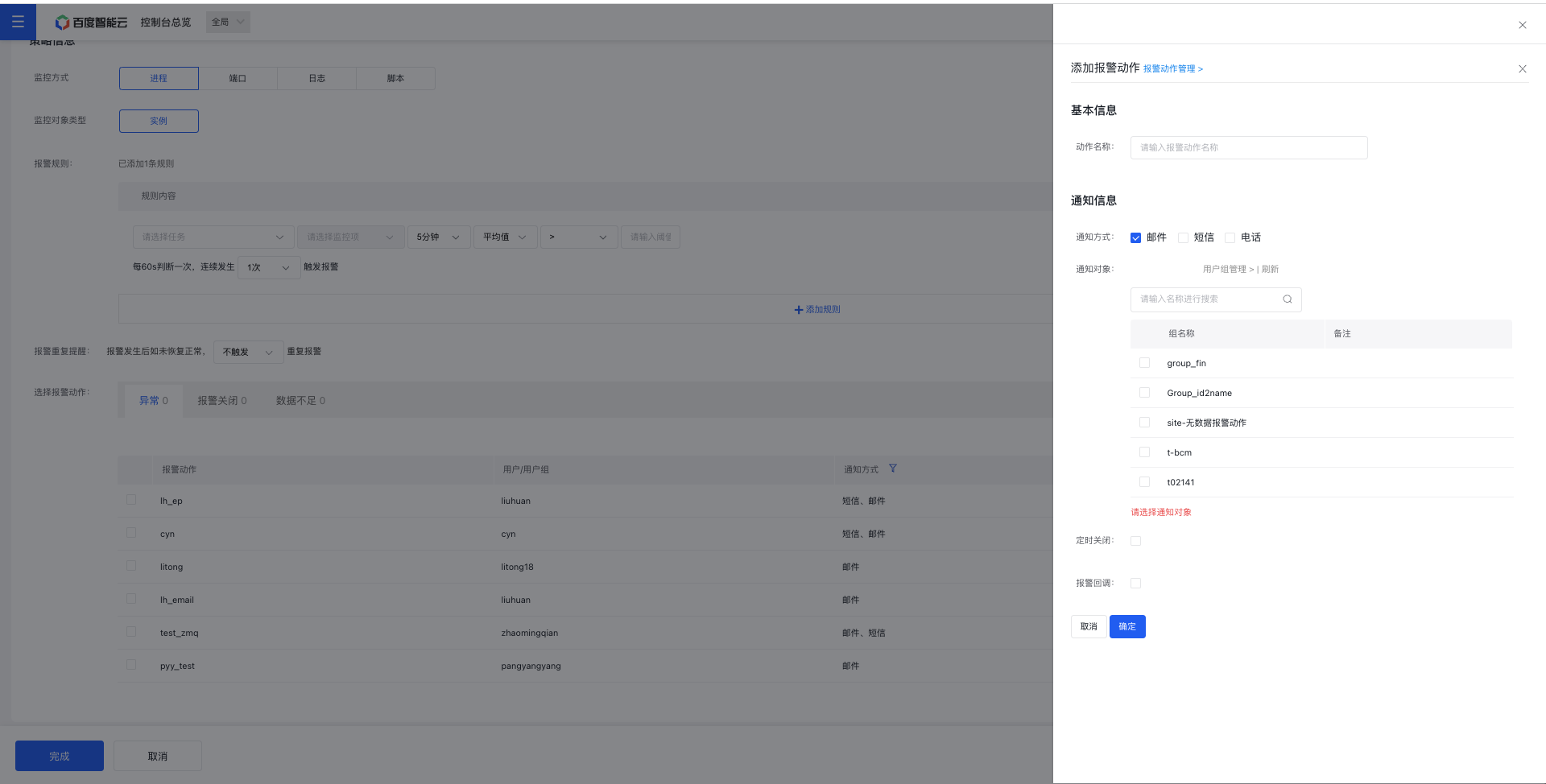
If no alarm action exists, click the Add Alarm Action button to complete the addition.
Alarm strategy configuration:
| ConfigMap | Description |
|---|---|
| Monitoring methods | Supports monitoring processes, ports, logs, and scripts. |
| Monitor Object Type | Process and port monitoring support instance types, while log monitoring supports both instance and application types. |
| Alarm Rule | You can select a monitoring task for an application to create corresponding alarm strategies, including multi-dimensional monitoring metric configuration capabilities. |
| Select alarm action | An alarm action is a collection of alarm notification methods and alarm contact groups. You can select different notification actions for various statuses, such as alarm exceptions, alarm disabling, and insufficient data, as needed. |
| Add alarm action | For details, refer to: Alarm Actions |
Modify/delete application monitor alarm strategies
- Go to the Application List page, then click an application name to open its Details page.
- In the left navigation bar, click the Alarm Management tab, then select Alarm Strategy to access the Alarm Strategy page.
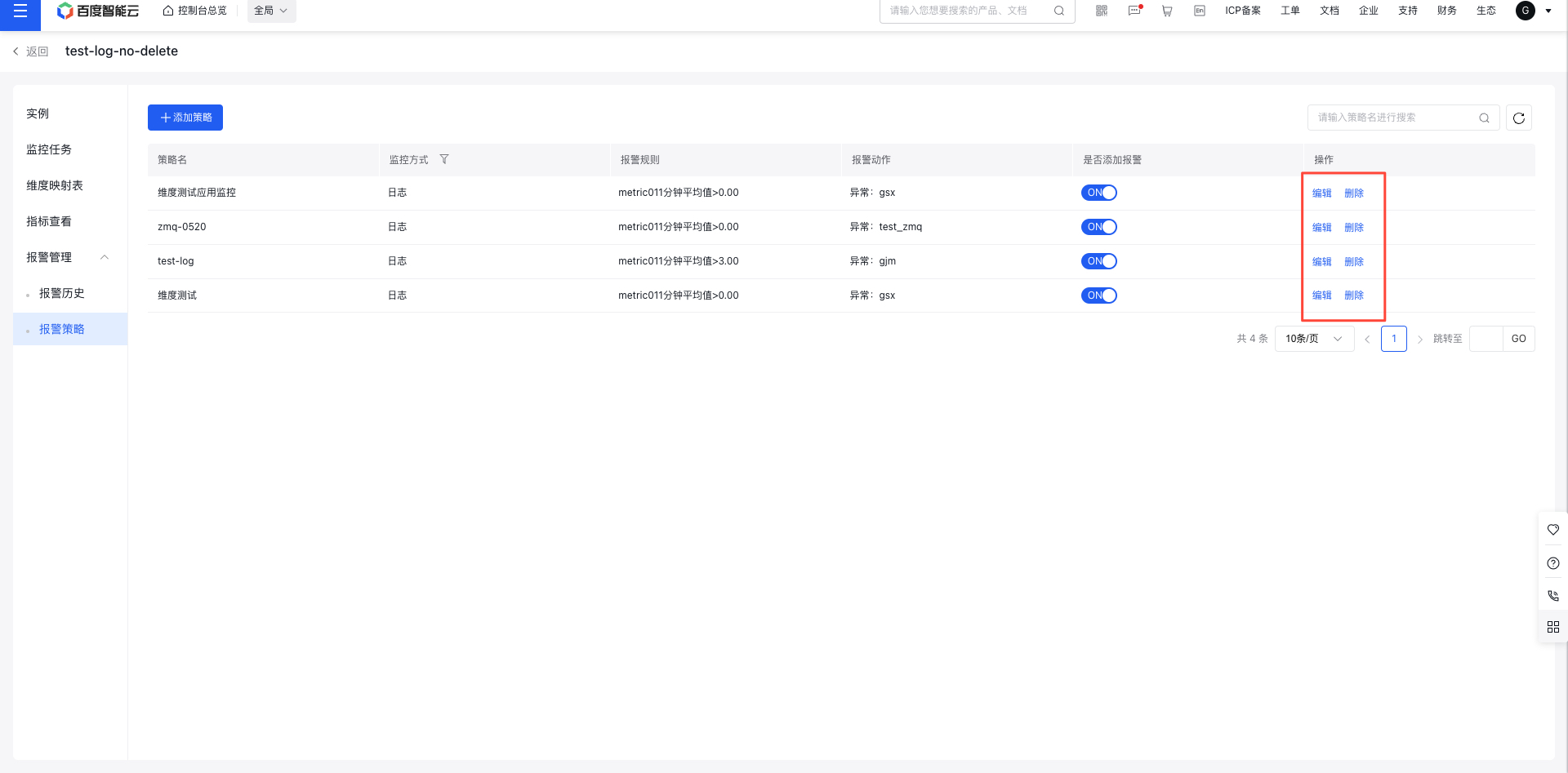
- In the operation column of an alarm strategy, click the Edit or Delete button to modify or remove it.
View application monitor alert events
- Go to the Application List page, then click an application name to open its Details page.
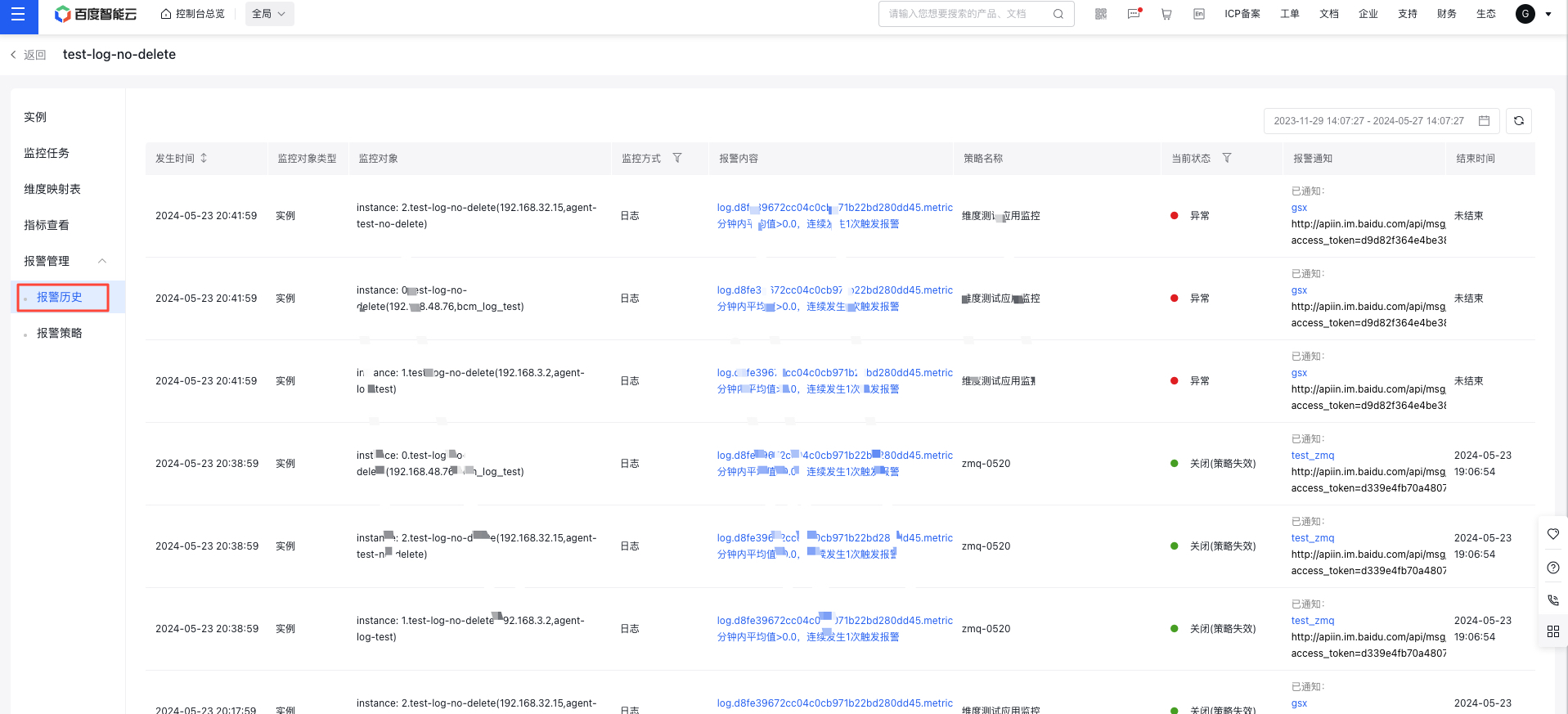
- Click the Alarm Management tab in the left navigation bar, then select the Alarm History tab to access the Alarm History page, where you can view the alarm events for this application. You can filter events by different time spans and event types to view alarms under specific conditions.