
Overview
Function overview
An application refers to a server module providing application services, composed of multiple instances with identical functions and implementations. Multiple applications combine to form a complete application system. You can freely organize and manage applications in BCM application monitor based on your system architecture. To address potential exceptions during application operation, BCM offers various monitoring methods such as process, port, log, and script monitor, comprehensively establishing a multi-dimensional application monitor system. This ensures that you can more efficiently grasp the operational status of your applications. Note: Currently, application monitor only supports Linux systems and does not support Windows systems
Monitor type
Application monitor currently supports the following monitor types:
- Process monitor: Track runtime status of processes across instances, providing real-time CPU, memory, disk, and other resource usage metrics;
- Port monitor: By probing port liveness, it provides real-time port connection status, response time, and other monitor metrics;
- Log Monitoring: Offers multi-dimensional metric monitoring for instances and application types by collecting and analyzing local logs, setting up monitoring and alert configurations, and forming a comprehensive log monitoring system when integrated with other Baidu Cloud Monitor functions.
- Script monitor: Allow users to implement custom metric collection through script configuration, supporting alarm configuration for script metric monitoring and alarming capabilities
Application management
Create application
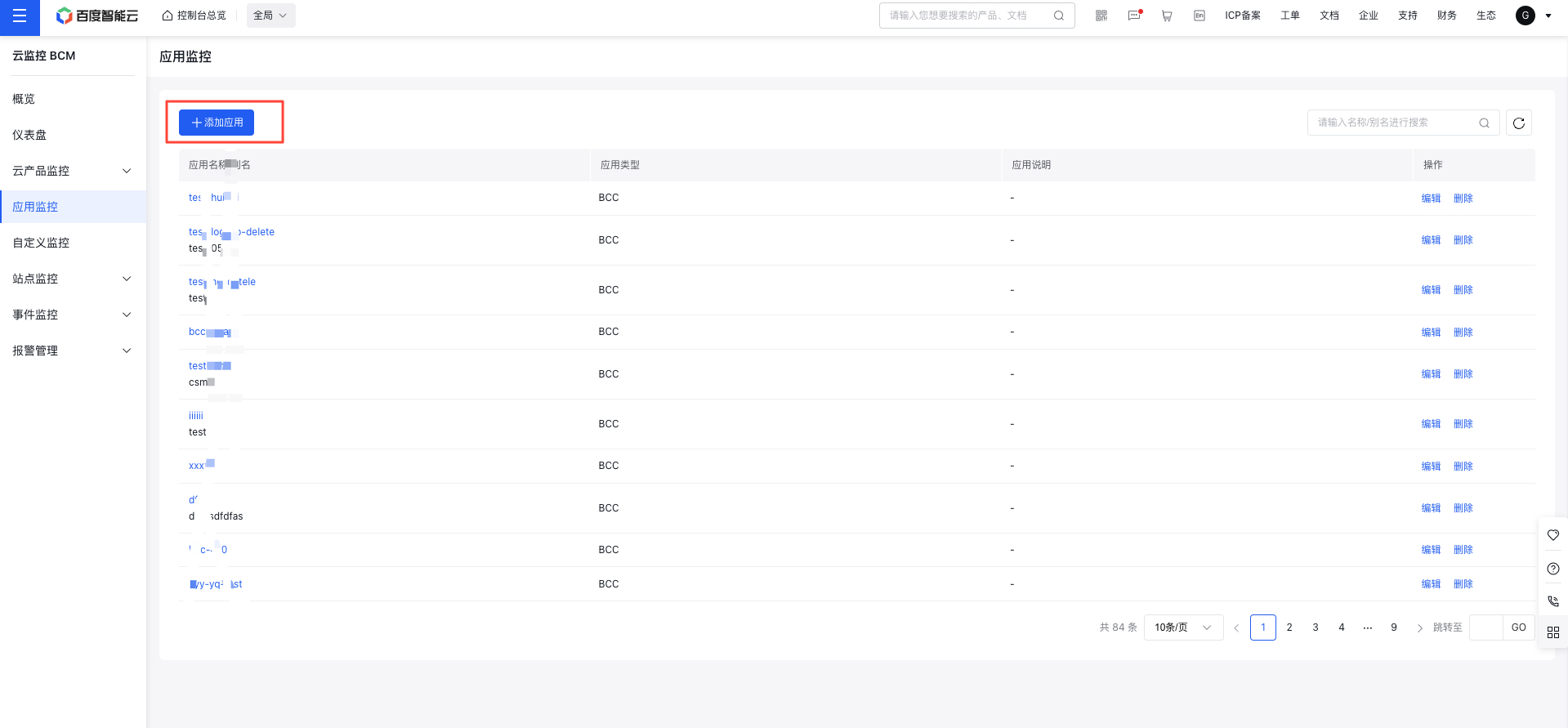
- Log in to Baidu AI Cloud, select Baidu Cloud Monitor (BCM), and click on Application Monitor in the left navigation bar to navigate to the Application List page.
- Click on the Create Application button to open the Create Application page.
- Enter the application name, alias, and description, then click Confirm to finish creating the application.
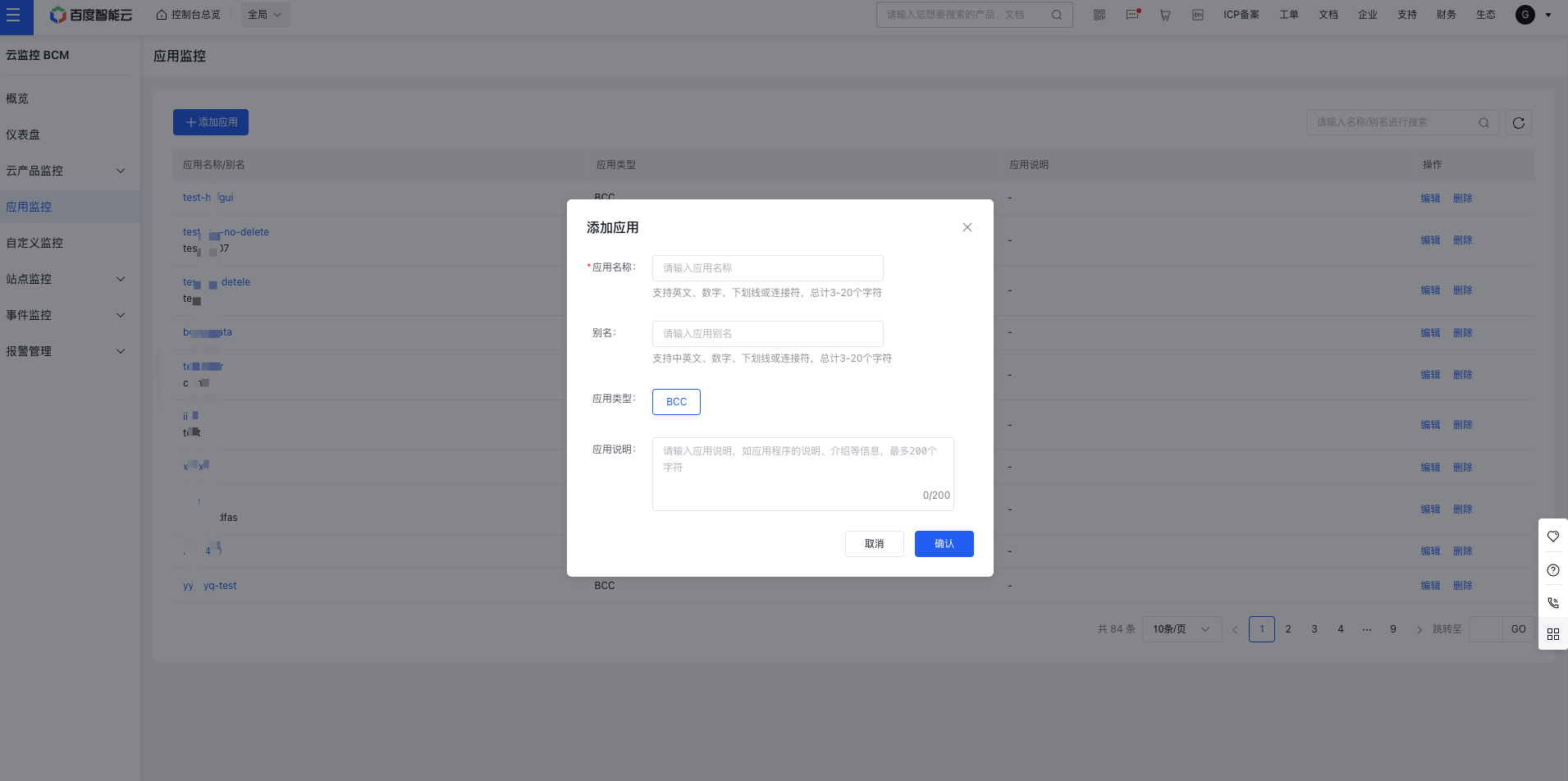
Application creation configuration:
| ConfigMap | Description |
|---|---|
| Application Type | Currently only supports Baidu Cloud Compute (BCC) |
| Application Description | Set application descriptions, including key details and a brief introduction of the application. |
Edit/delete application
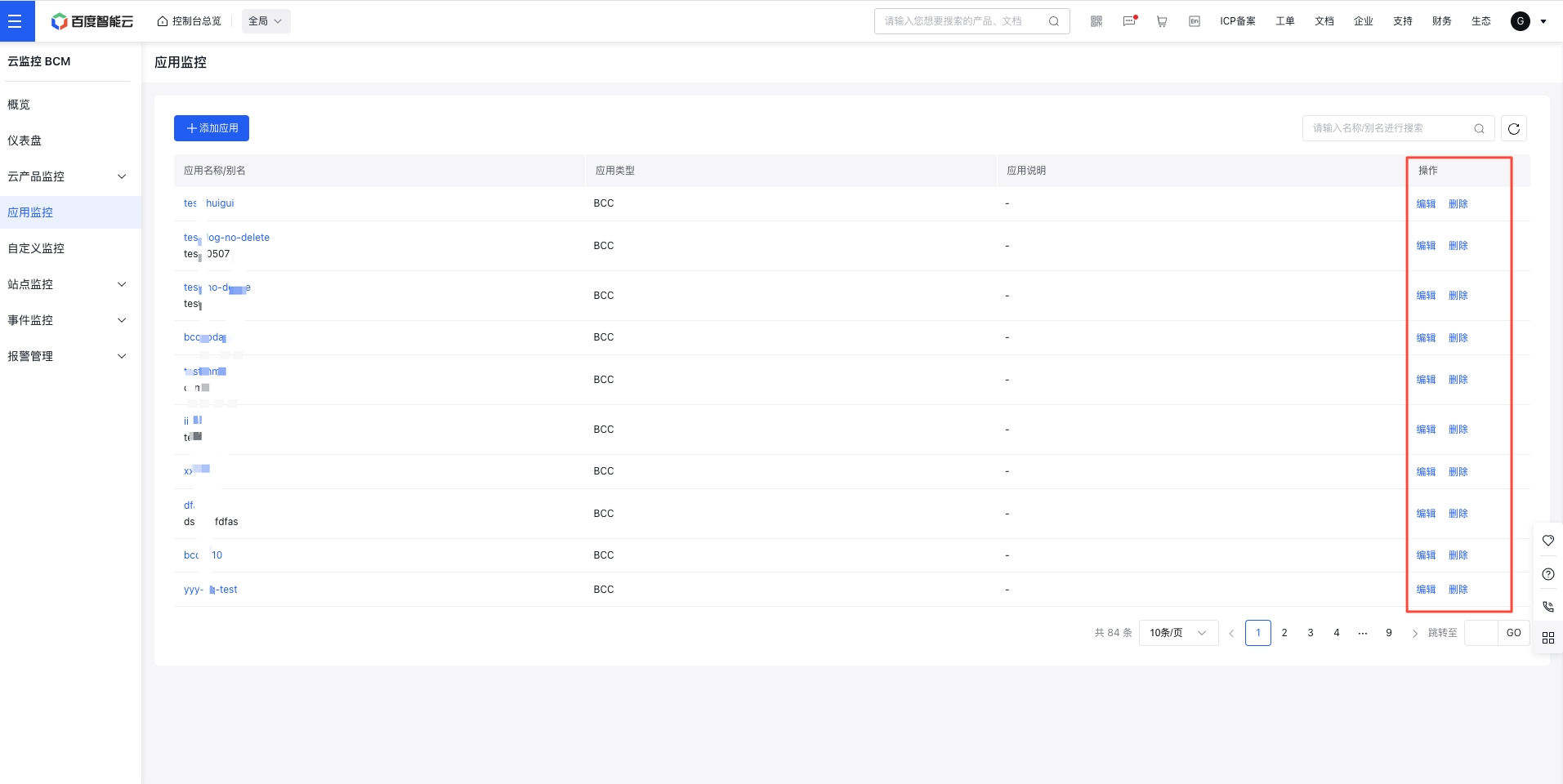
- Once the application is created, return to the Application List page.
- Click the Edit or Delete buttons in the operation column to modify or remove an application.
Add/remove instances for an application
- On the Application List page, click on the name of an application to open its corresponding Instance List page.
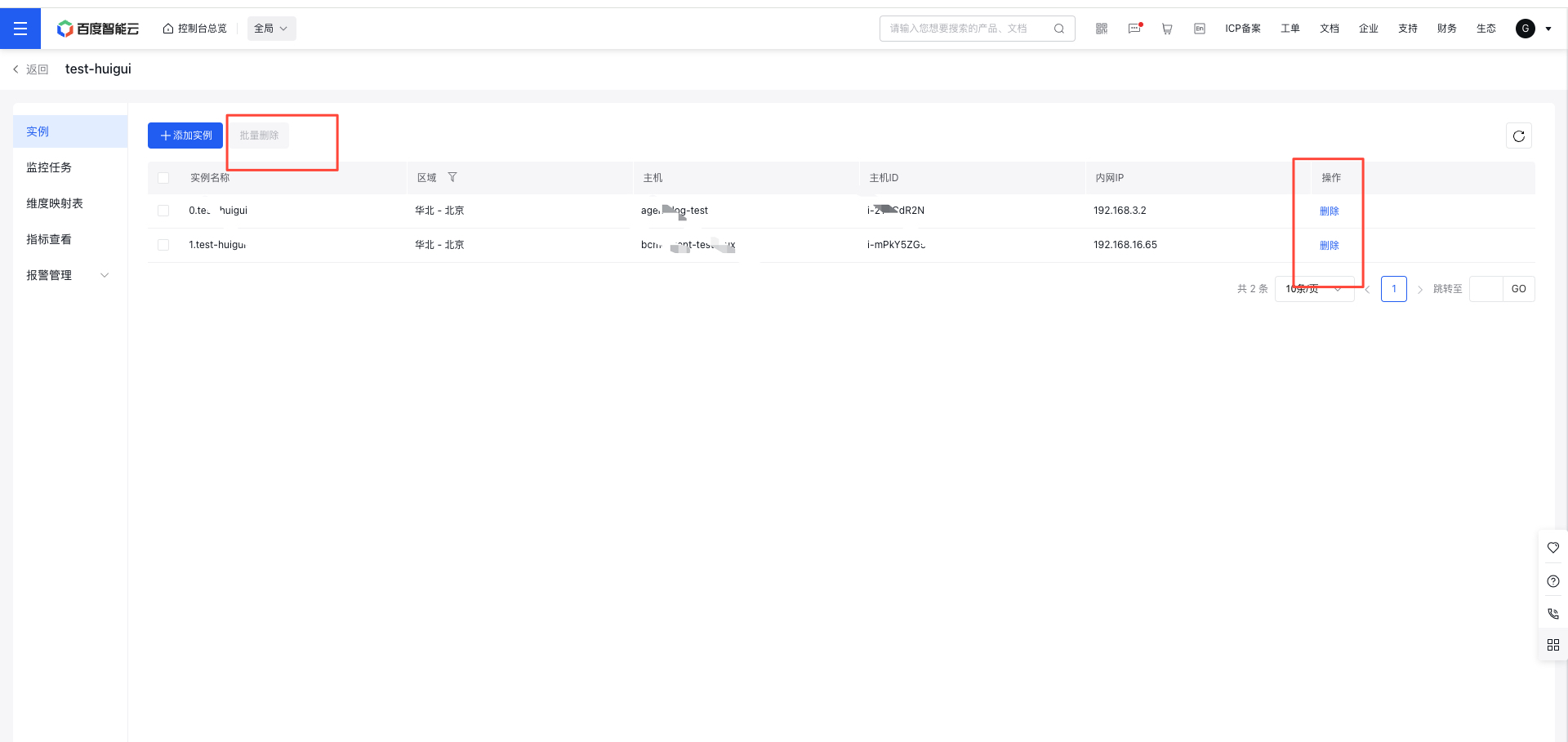
- On the Instance List page, click Create Instance to navigate to the Host List page under your account.
- On the Host List page, select the desired host and click OK to add it as an instance to your application.
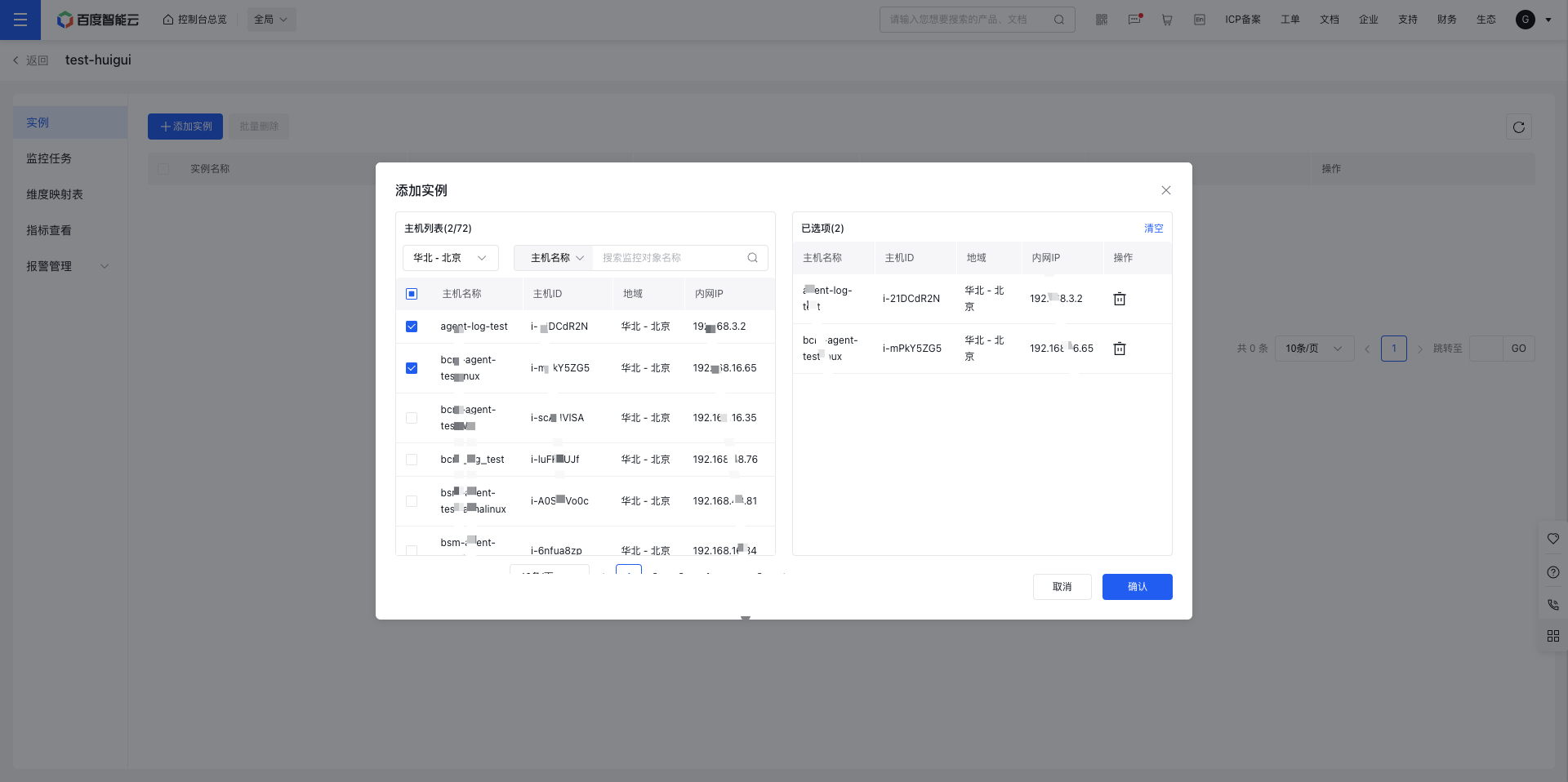
- On the Host List page, click the Delete button in the operation column of an instance to remove it from the application.
Others
Other modules, such as monitoring tasks, dimension mapping tables, metric views, and alarm management, are detailed in their respective documentation sections.