
Purchase Guide
Last Updated:2025-11-14
Enable expert edition
Operation steps
Method 1:
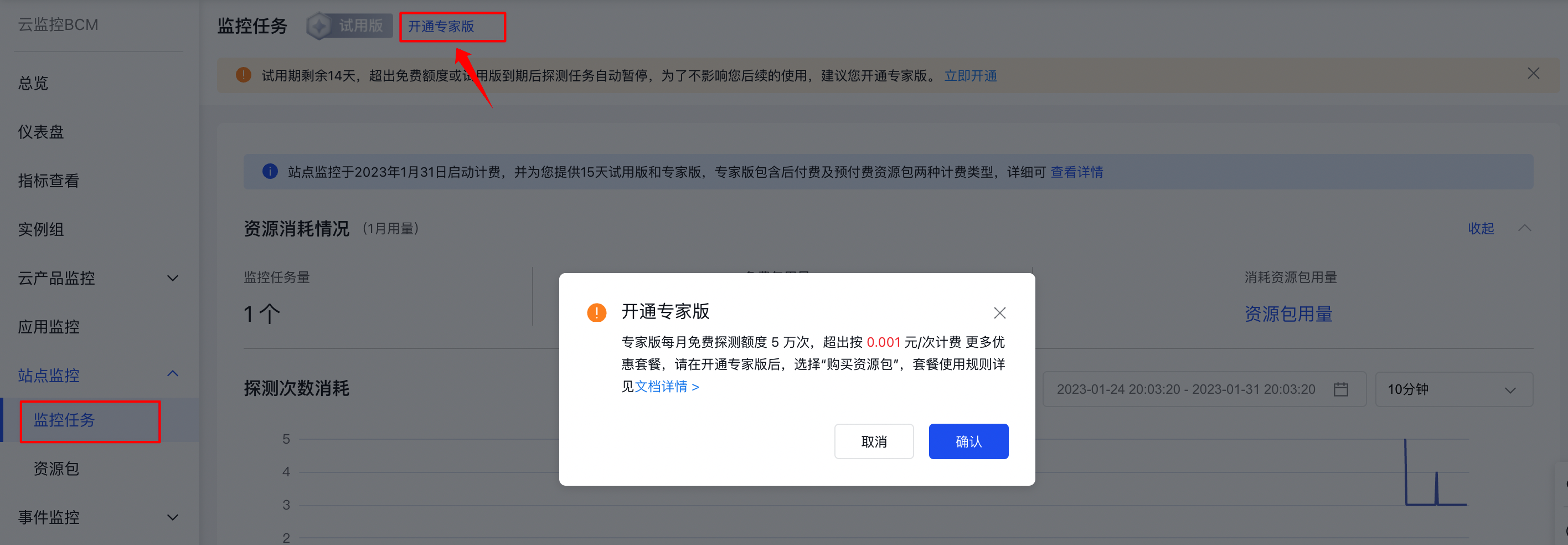
- Log in to Baidu AI Cloud, go to Baidu Cloud Monitor (BCM), then click "Site Monitor" followed by "Monitor Task" in the left navigation bar to access the Monitor Task List page.
- Click the "Activate Expert Edition" button. A pop-up window will appear. Click "OK," and a success message confirming the activation will be shown.
Method 2:
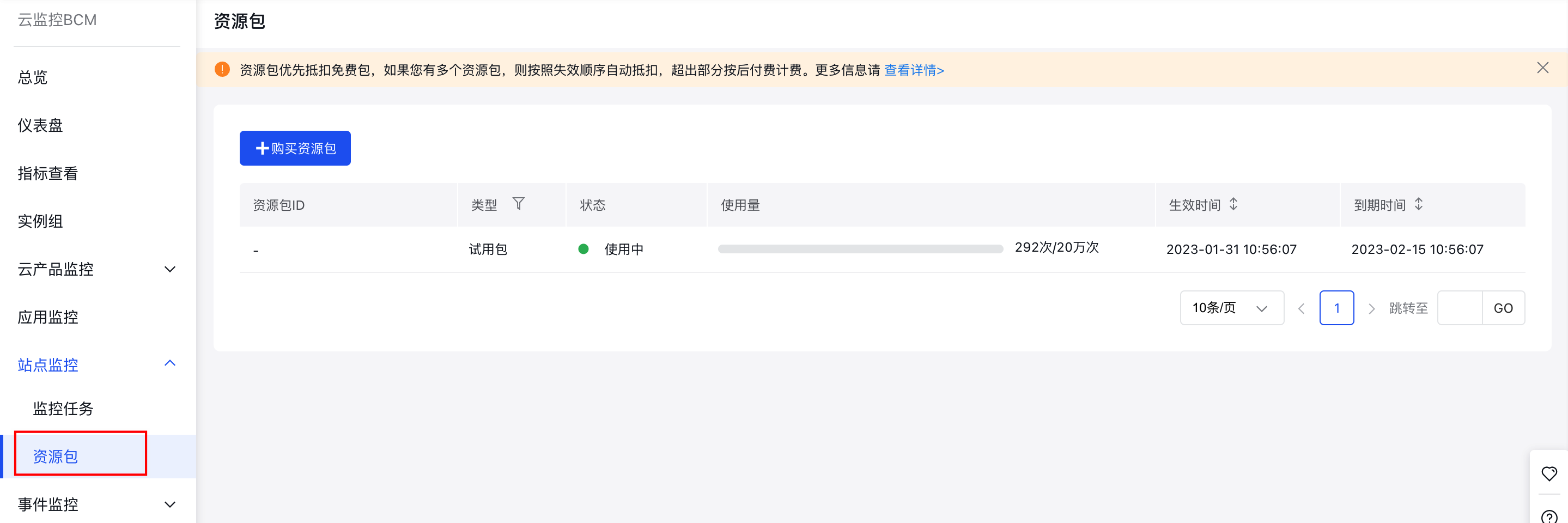
- Log in to Baidu AI Cloud, go to Baidu Cloud Monitor (BCM), then click "Site Monitor" followed by "Resource Package" in the left navigation bar to reach the Resource Package List page.
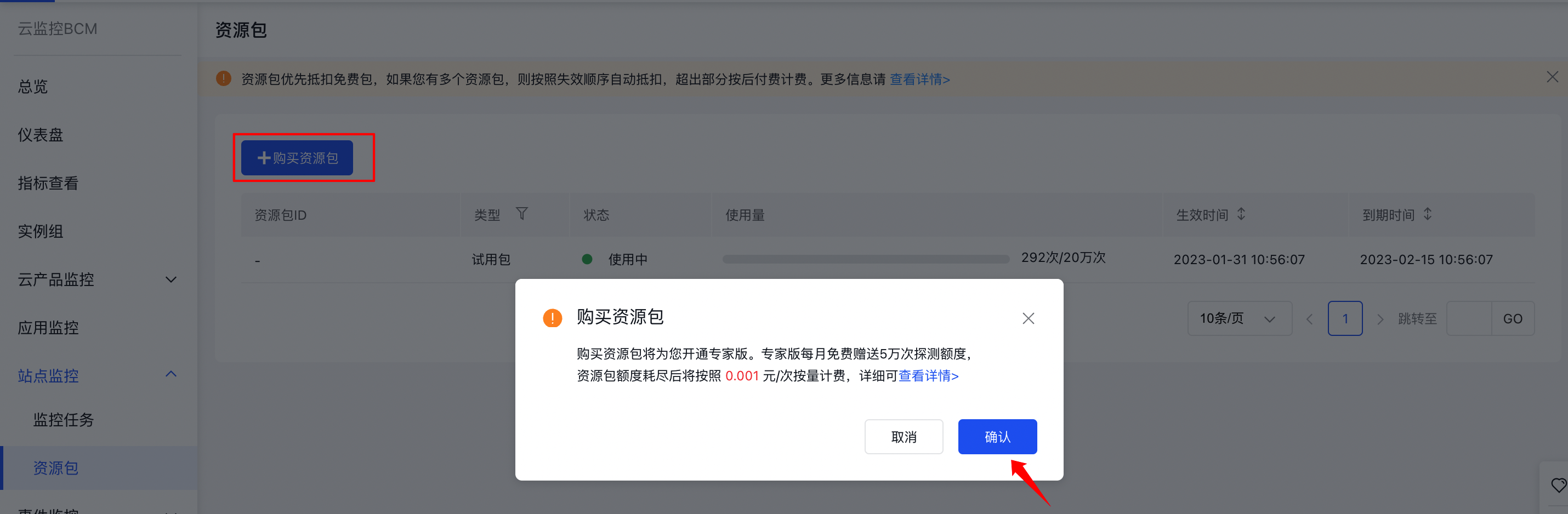
- Click the "Purchase Resource Package" button. A pop-up window will appear. Click "OK" to proceed to the Resource Package Purchase page. After completing the purchase, the service will be activated successfully.
Purchase resource package
Prerequisites
Both Method 1 and Method 2 require activation of the Site Monitor Expert Edition.
Operation steps
Method 1:
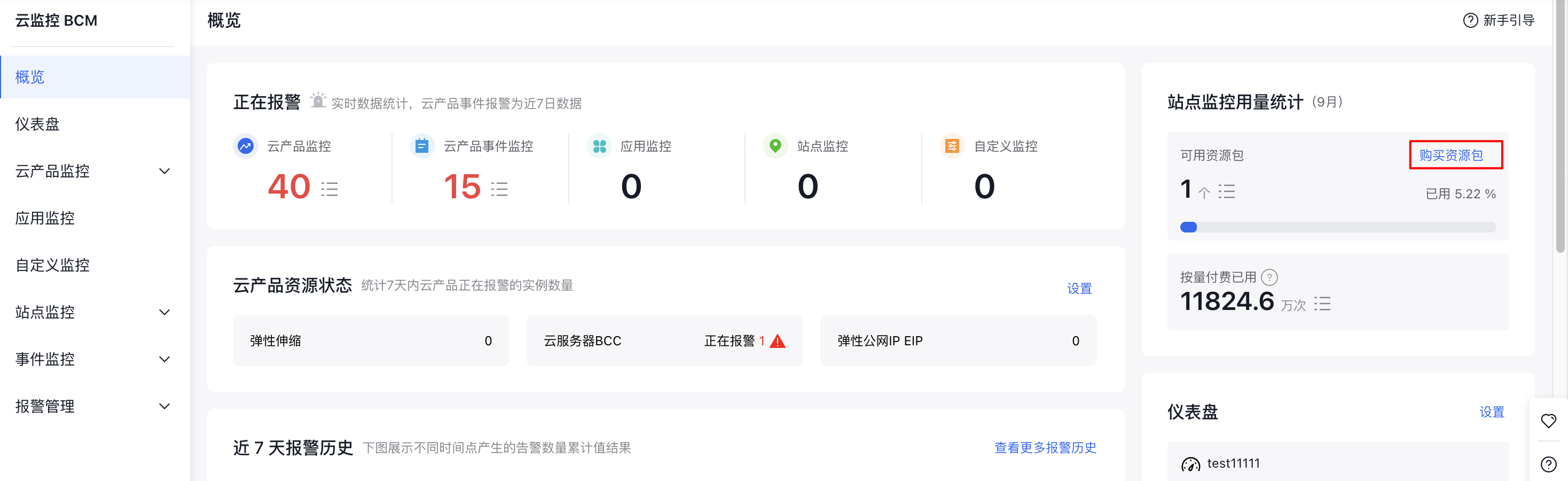
- Log in to Baidu AI Cloud, navigate to Baidu Cloud Monitor (BCM), click on Overview from the left menu, and in the Site Monitor Usage Statistic section on the right, click the Purchase Resource Package button.
- On the Purchase Resource Package page, choose the type and quantity of the package you need, then click Proceed to Checkout.
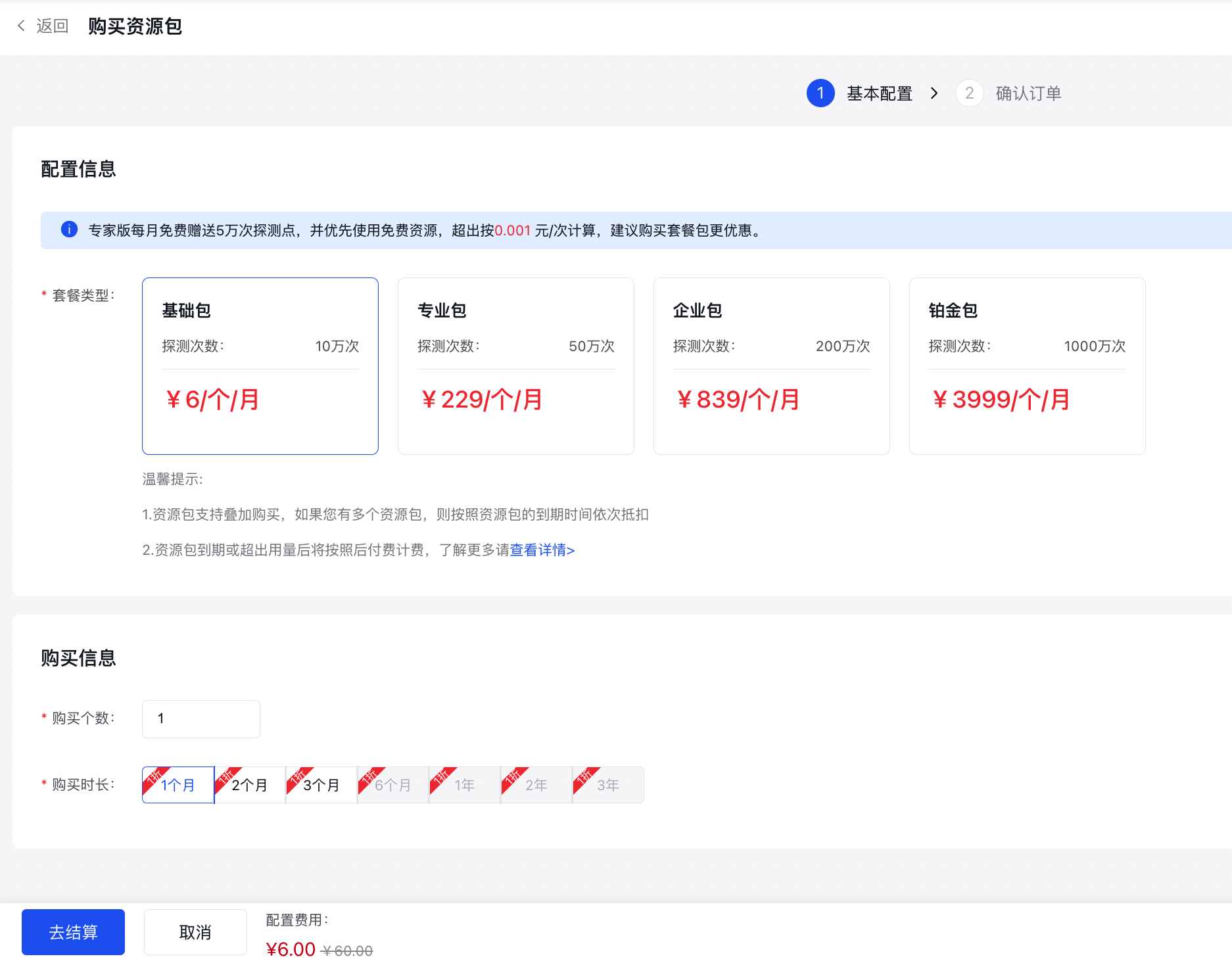
Method 2:
- Log in to Baidu AI Cloud, navigate to Baidu Cloud Monitor (BCM), click on Site Monitor and then Monitor Task from the left menu to open the Monitor Task List page, and click the Purchase Resource Package button.
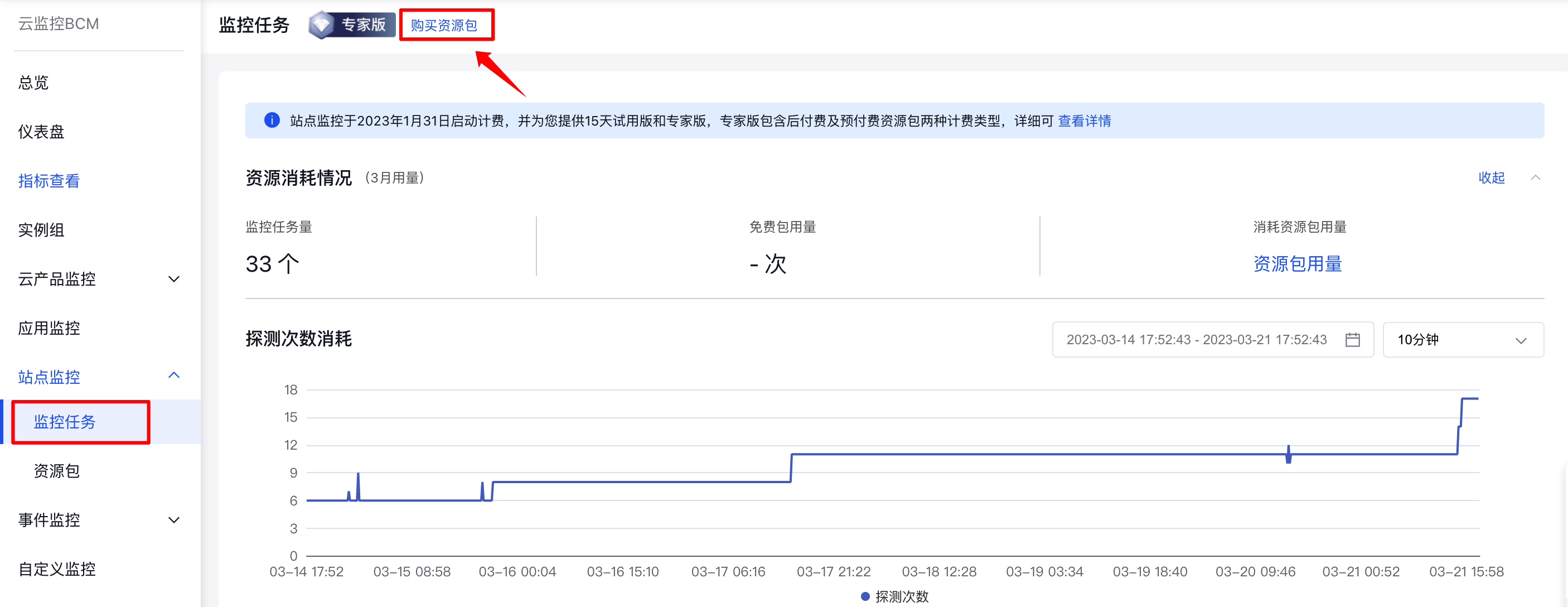
- On the Purchase Resource Package page, choose the type and quantity of the package you need, then click Proceed to Checkout.
Method 3:
- Log in to Baidu AI Cloud, navigate to Baidu Cloud Monitor (BCM), click on Site Monitor and then Resource Package from the left menu to access the Resource Package List page, and click the Purchase Resource Package button.
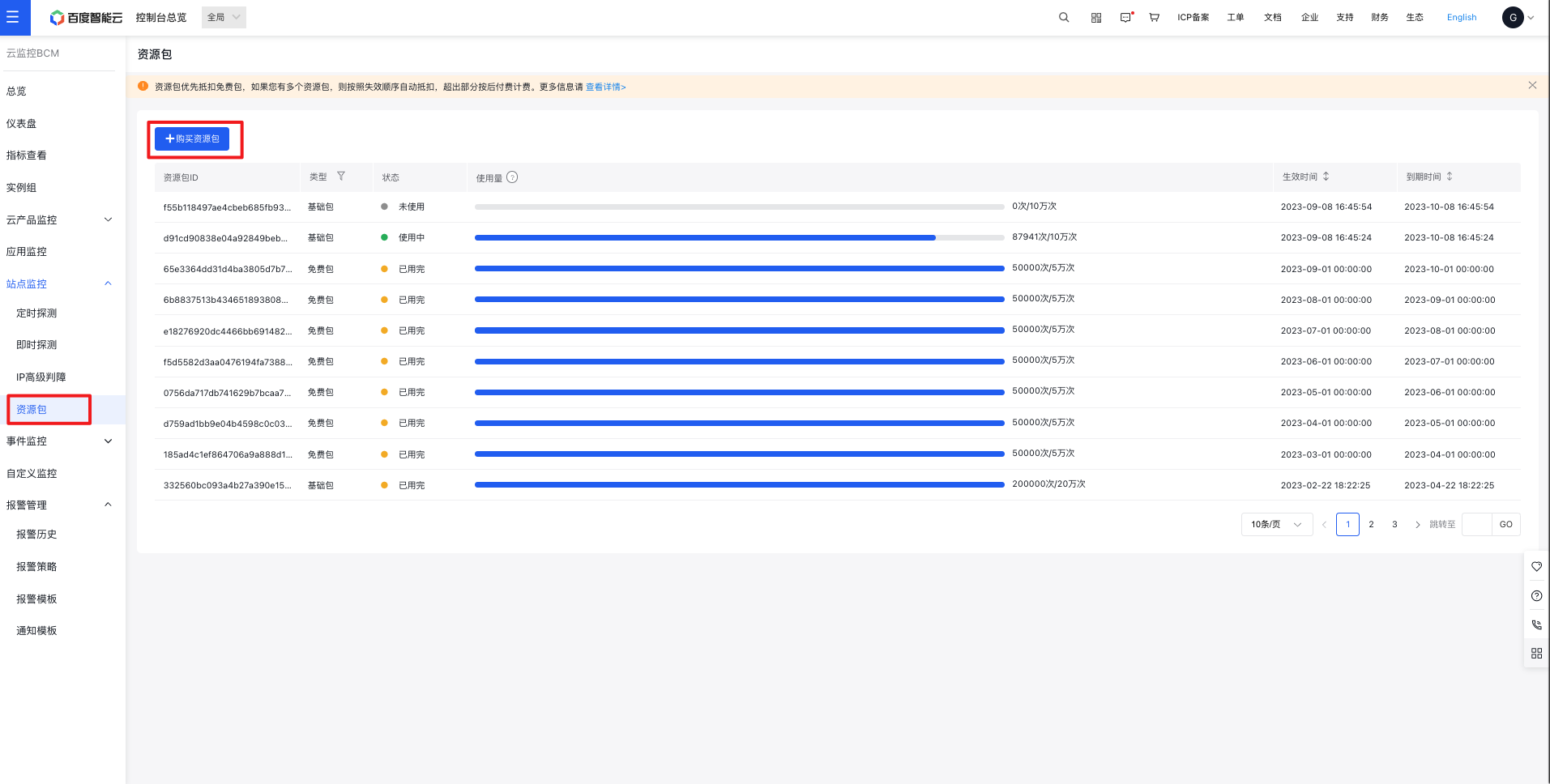
- On the Purchase Resource Package page, choose the type and quantity of the package you need, then click Proceed to Checkout.