

OpenCode
更新时间:2026-05-08
关于 OpenCode
OpenCode 是一个开源代理,帮助您在终端、IDE 或桌面端编写代码,以下内容将介绍如何在Linux/Mac、Windows环境中如何接入千帆大模型平台的Token Plan。
OpenCode 安装
- 安装或更新 Node.js(v18.0 或更高版本)。
- 在终端中执行以下命令安装 OpenCode。
Bash
1npm install -g opencode-ai
2
3# 如果报错没有权限(Error: EACCES: permission denied, mkdir '/opt/homebrew/lib/node_modules/opencode-ai),可以加上sudo
4sudo npm install -g opencode-ai- 安装完成后执行命令查看版本号,有版本号输出则说明安装成功
Bash
1opencode -v配置Token Plan
- 进入以下路径,创建配置文件opencode.json
Bash
1# 进入以下路径
2# macOS、Linux
3~/.config/opencode
4# Windows
5C:\Users\您的用户名\.config\opencode\
6
7#创建opencode.json文件
8#macOS、Linux
9touch opencode.json- 将以下配置文件更新apikey后复制保存到opencode.json文件中
-
填入具体配置如下:
- name:baiduqianfantokenconfig
- apiKey:使用 Token Plan 的 API Key,可在 百度智能云千帆控制台 获取
- baseURL:https://qianfan.baidubce.com/v2
- models:支持模型列表,可在 Token 福利包文档 查看
JSON
1{
2  "$schema": "https://opencode.ai/config.json",
3  "provider": {
4    "baiduqianfantokenconfig": {
5      "npm": "@ai-sdk/openai-compatible",
6      "name": "baiduqianfantokenconfig",
7      "options": {
8        "baseURL": "https://qianfan.baidubce.com/v2",
9        "apiKey": "请填入您的千帆通用API Key"
10      },
11      "models": {
12        "minimax-m2.5": {
13          "name": "MiniMax-M2.5",
14          "modalities": {
15            "input": [
16              "text"
17            ],
18            "output": [
19              "text"
20            ]
21          },
22          "options": {
23            "thinking": {
24              "type": "enabled",
25              "budgetTokens": 32000
26            }
27          },
28          "limit": {
29            "context": 192000,
30            "output": 131072
31          }
32        },
33        "glm-5": {
34          "name": "GLM-5",
35          "modalities": {
36            "input": [
37              "text"
38            ],
39            "output": [
40              "text"
41            ]
42          },
43          "options": {
44            "thinking": {
45              "type": "enabled",
46              "budgetTokens": 32000
47            }
48          },
49          "limit": {
50            "context": 198000,
51            "output": 131072
52          }
53        },
54        "kimi-k2.5": {
55          "name": "Kimi-K2.5",
56          "modalities": {
57            "input": [
58              "text"
59            ],
60            "output": [
61              "text"
62            ]
63          },
64          "options": {
65            "thinking": {
66              "type": "enabled",
67              "budgetTokens": 32000
68            }
69          },
70          "limit": {
71            "context": 256000,
72            "output": 65536
73          }
74        }
75      }
76    }
77  }
78}
开始使用OpenCode
- 执行命令,运行opencode
Bash
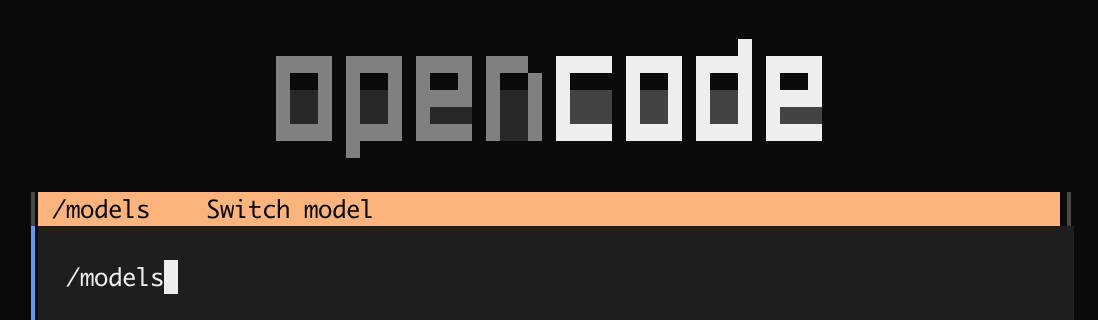
1opencode- 输入/models,选择配置的模型进行使用
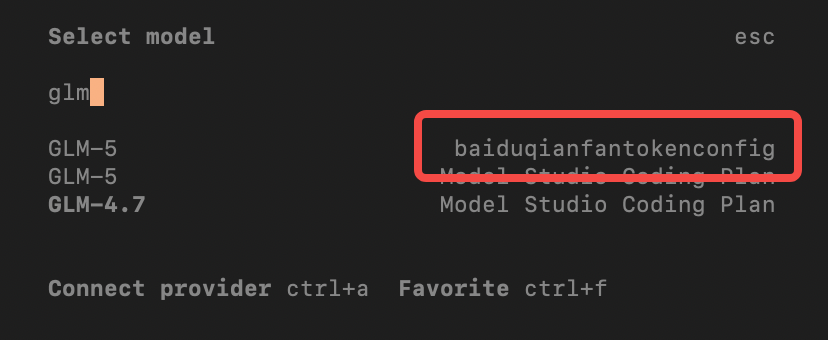
- 通过模型名称可查找刚才配置好的baiduqianfantokenconfig系列模型
- 带有baiduqianfantokenconfig provider名称的就是您刚才配置好的token plan系列模型
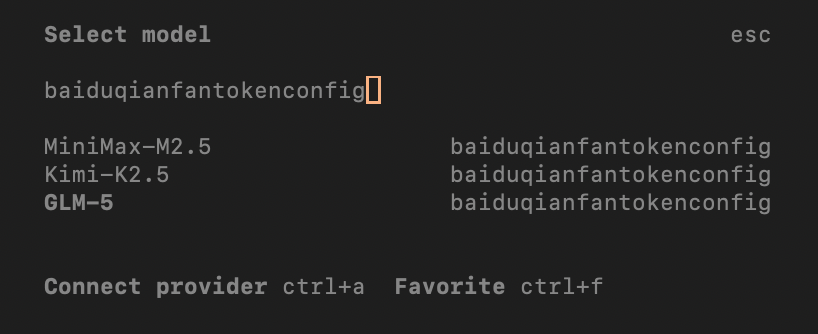
- 也可以输入baiduqianfantokenconfig进行搜索
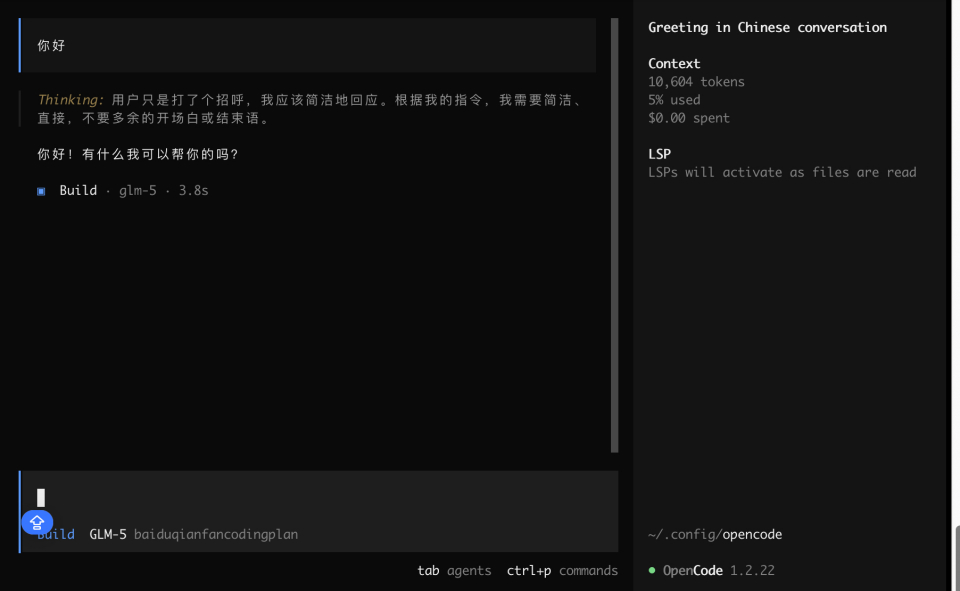
- 开始对话
评价此篇文章