

获取鉴权信息
更新时间:2026-09-24
本文介绍调用 Logic openAPI 前的鉴权流程与网关地址获取方式。
鉴权流程
调用任意 openAPI 前,都需先按以下步骤生成签名并放入请求头。
步骤一:获取 AK/SK
在平台账号管理获取当前用户的 AccessKey(AK)与 SecretKey(SK)。
AK/SK 属于个人密钥,请勿泄露或提交到公开环境,并定期轮换。
步骤二:生成签名
可参考百度智能云官方签名文档的 Python 示例。
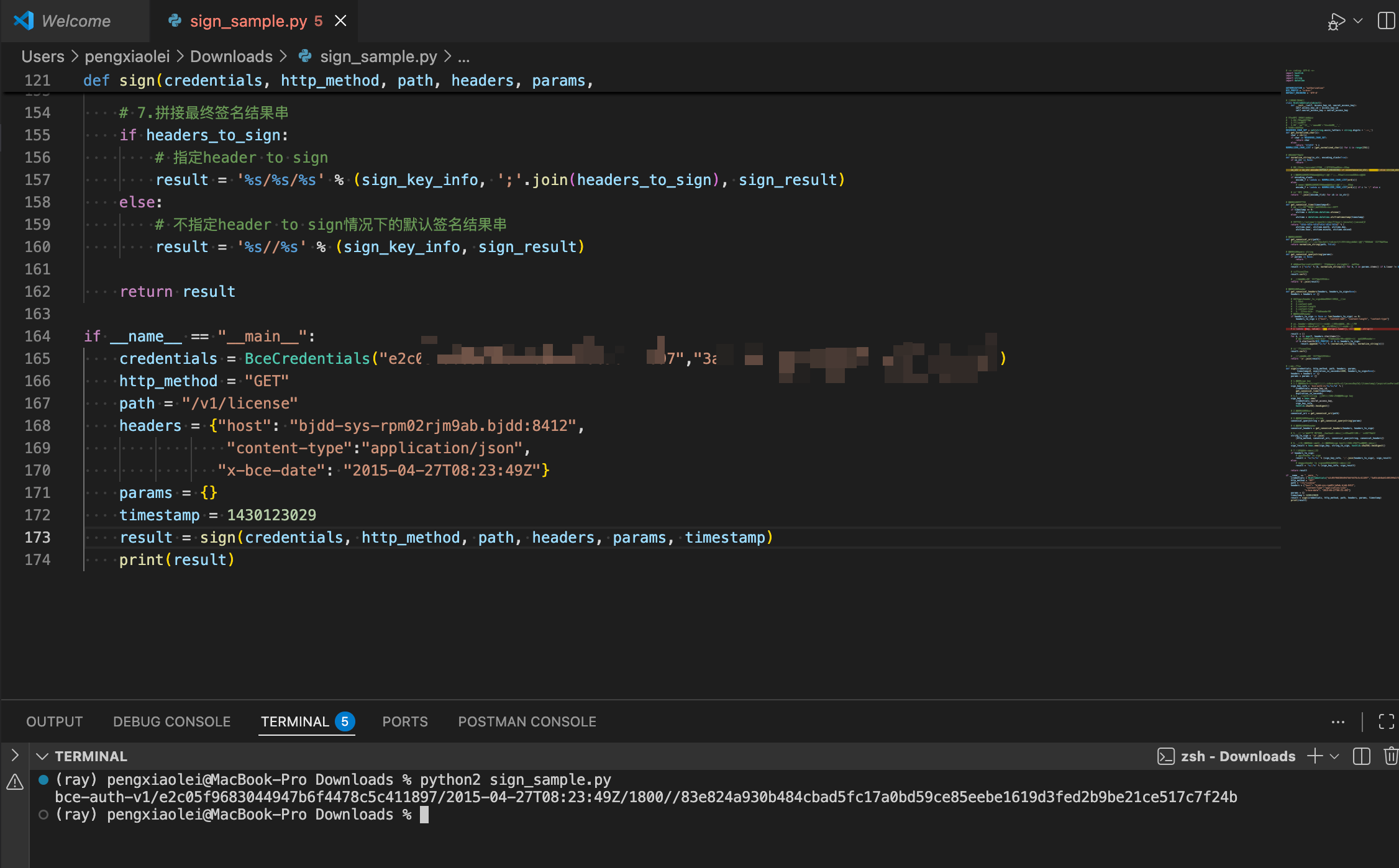
若使用 Postman,可在 Pre-request Script 中使用下方脚本自动生成签名。使用前需在 Postman 环境变量中配置以下参数:
| 变量名 | 含义 | 示例 | 备注 |
|---|---|---|---|
| AccessKey | 用户的 AK | 118051d11de046ce8f6b8df42891**** | 必填 |
| SecretKey | 用户的 SK | 47d4d29668ab48cf86d0a85f7f82**** | 必填 |
| AuthVersion | 认证版本 | 1 | 选填,默认为 1 |
| ExpirationInSeconds | 签名有效时间 | 1800 | 选填,默认 1800 |
| SignedHeaders | 签名头域 | host;x-bce-date | 选填,默认将 Host、Content-Type、Content-Length、Content-MD5 及以 x-bce- 开头的头域加入签名 |
| Timestamp | 时间戳 | 2014-06-01T23:00:10Z | 选填,默认为当前时间 |
Postman Pre-request Script:
JavaScript
1//注意:使用本脚本需设置好环境变量。各个环境变量名称及意义如下所示:
2//|      变量名       |    含义    |               例子             |    备注      |
3//|  AccessKey        |  用户的AK  |118051d11de046ce8f6b8df42891****|    必填      |
4//|  SecretKey        |  用户的SK  |47d4d29668ab48cf86d0a85f7f82****|    必填      |
5//|  AuthVersion      |  认证版本  |                 1              |选填,默认为1 |
6//|ExpirationInSeconds|签名有效时间|               1800             |选填,默认1800|
7//|   SignedHeaders   |  签名头域  |         host;x-bce-date        |选填
8//                                                                  |默认将Host、
9//                                                                  |Conten-Type、
10//                                                                  |Content-Length、
11//                                                                  |Content-MD5和以
12//                                                                  |x-bce-开头的头域
13//                                                                  |加入签名
14//|    Timestamp      |   时间戳   |      2014-06-01T23:00:10Z      |选填
15//                                                                  |默认为当前时间|
16function getTimestamp() {
17    let timestamp = pm.environment.get("Timestamp");
18    let now = timestamp ? new Date(timestamp.trim()) : new Date();
19    return now.toISOString().replace(/.d+Z$/, 'Z');
20}
21
22function normalize(string, encodingSlash) {
23    let kEscapedMap = {
24        '!': '%21',
25        ''': '%27',
26        '(': '%28',
27        ')': '%29',
28        '*': '%2A'
29    };
30
31    if (string === null) {
32        return "";
33    }
34    var result = encodeURIComponent(string);
35    result = result.replace(/[!'()*]/g, function($1) {
36        return kEscapedMap[$1];
37    });
38
39    if (encodingSlash === false) {
40        result = result.replace(/%2F/gi, '/');
41    }
42
43    return result;
44}
45
46function generateCanonicalUri() {
47    url = pm.request.url;
48    resources = url.path;
49    if (!resources) {
50        return "";
51    }
52    let normalizedResourceStr = "";
53    for (let i = 0; i < resources.length; i++) {
54        normalizedResourceStr += "/" + normalize(resources[i]);
55    }
56    return normalizedResourceStr;
57}
58
59function generateCanonicalQueryString() {
60    url = pm.request.url;
61    queryList = url.query.all();
62    let normalizedQueryList = [];
63    for (let i = 0; i < queryList.length; i++) {
64        if (queryList[i].key.toLowerCase() == "authorization") {
65            continue;
66        }
67        normalizedQueryList.push(normalize(queryList[i].key) + "=" + normalize(queryList[i].value));
68    }
69    normalizedQueryList.sort();
70    return normalizedQueryList.join('&');
71}
72
73var g_signed_header = "";
74function generateCanonicalHeaders() {
75    let signedHeaders = pm.environment.get("SignedHeaders");
76    let defaultHeaders = ["host", "content-length", "content-type", "content-md5"];
77    let keyStrList = [];
78    headerList = pm.request.headers;
79    if (!headerList.has("host")) {
80        var Header = require('postman-collection').Header;
81        headerList.add(new Header({key: "host", value: pm.request.url.getHost()}));
82    }
83
84    if (!signedHeaders) {
85        console.log("generateCanonicalHeader: using default headers");
86        for (let i = 0; i < defaultHeaders.length; i++) {
87            keyStrList.push(defaultHeaders[i]);
88        }
89
90        let headerListObj = headerList.all();
91        for (let i = 0; i < headerListObj.length; i++) {
92            let key = headerListObj[i].key;
93            if (key.toLowerCase().startsWith("x-bce-")) {
94                keyStrList.push(key.toLowerCase());
95            }
96        }
97    } else {
98        signedHeaders = signedHeaders.trim();
99        keyStrList = signedHeaders.split(';');
100        for (let i = 0; i < keyStrList.length; i++) {
101            keyStrList[i] = keyStrList[i].toLowerCase();
102        }
103        if (!keyStrList.includes("host")) {
104            keyStrList.push("host");
105        }
106    }
107    let usedHeaderStrList = [];
108    for (let i = 0; i < keyStrList.length; i++) {
109        key = keyStrList[i];
110        value = headerList.get(key);
111        if (!value || value === "") {
112            continue;
113        }
114        key = key.toLowerCase();
115        value = value.trim();
116        usedHeaderStrList.push(normalize(key) + ":" + normalize(value));
117    }
118
119    usedHeaderStrList.sort();
120    let usedHeaderKeys = [];
121    usedHeaderStrList.forEach(function(item) {
122        usedHeaderKeys.push(item.split(':')[0]);
123    });
124    let canonicalHeaderStr = usedHeaderStrList.join('
125');
126    g_signed_headers = usedHeaderKeys.join(';');
127    return canonicalHeaderStr;
128}
129
130function generateAuthorization() {
131    let timestamp = getTimestamp();
132    let authVersion = pm.environment.get("AuthVersion");
133    let expirationInSeconds = pm.environment.get("ExpirationInSeconds");
134    let accessKey = pm.environment.get("AccessKey");
135    let secretKey =  pm.environment.get("SecretKey");
136    if (!authVersion) {
137        console.log("generateAuthorization: using default AuthVersion");
138    }
139    if (!expirationInSeconds) {
140        console.log("generateAuthorization: using default ExpirationInSeconds");
141    }
142    if (!accessKey) {
143        console.log("generateAuthorization: AccessKey is empty!");
144    }
145    if (!secretKey) {
146        console.log("generateAuthorization: SecretKey is empty!");
147    }
148    authVersion = (!authVersion) ? "1" : authVersion.trim();
149    expirationInSeconds = (!expirationInSeconds) ? "1800" : expirationInSeconds.trim();
150    signingKeyStr = "bce-auth-v" + authVersion + "/" + accessKey.trim() + "/" + timestamp + "/" + expirationInSeconds;
151    signingKey = CryptoJS.HmacSHA256(signingKeyStr, secretKey.trim());
152    console.log("signing key: " + signingKey.toString());
153
154    canonicalUri = generateCanonicalUri();
155    console.log("Canonical Uri: " + canonicalUri);
156
157    canonicalQueryString = generateCanonicalQueryString();
158    console.log("Canonical Query string: " + canonicalQueryString);
159
160    canonicalHeaders = generateCanonicalHeaders();
161    console.log("Canonical Headers:
162" + canonicalHeaders);
163
164    method = pm.request.method;
165    canonicalRequest = method.toUpperCase() + "
166" + canonicalUri + "
167" + canonicalQueryString + "
168" + canonicalHeaders;
169    console.log("Canonical Request:
170" + canonicalRequest);
171
172    signature = CryptoJS.HmacSHA256(canonicalRequest, signingKey.toString());
173    console.log("Signature: " + signature.toString());
174
175    Authorization = signingKeyStr + "/" + g_signed_headers + "/" + signature.toString();
176
177    console.log("Authorization: " + Authorization);
178    return Authorization;
179}
180
181pm.request.addHeader("Authorization:" + generateAuthorization());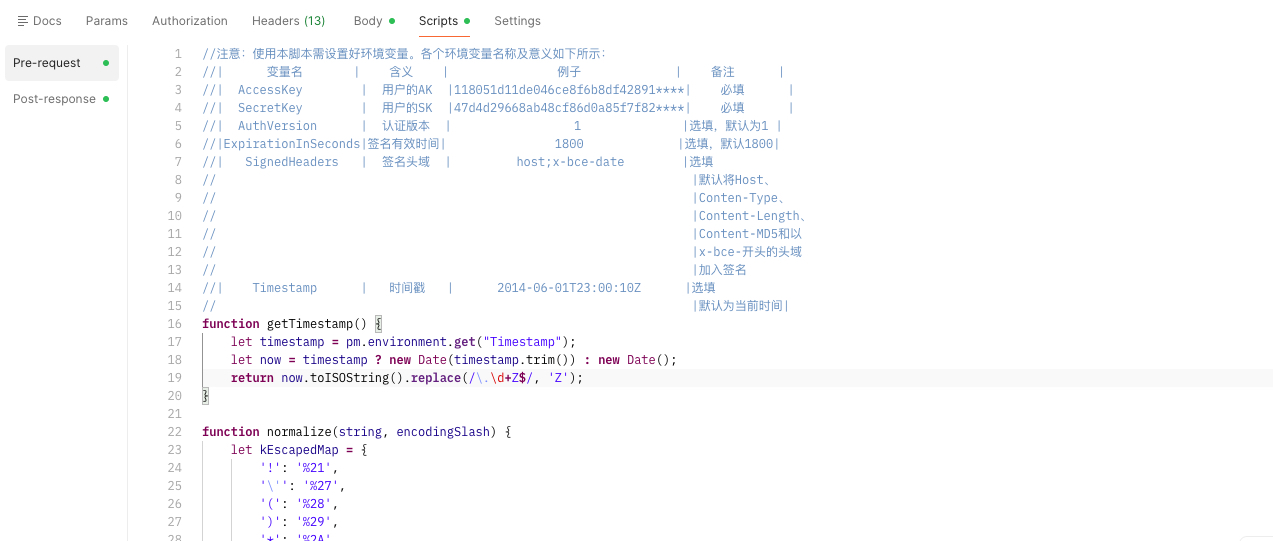
步骤三:携签名请求 openAPI
将生成的签名放入请求 Header 的 Authorization 字段,即可请求 openAPI。

网关地址
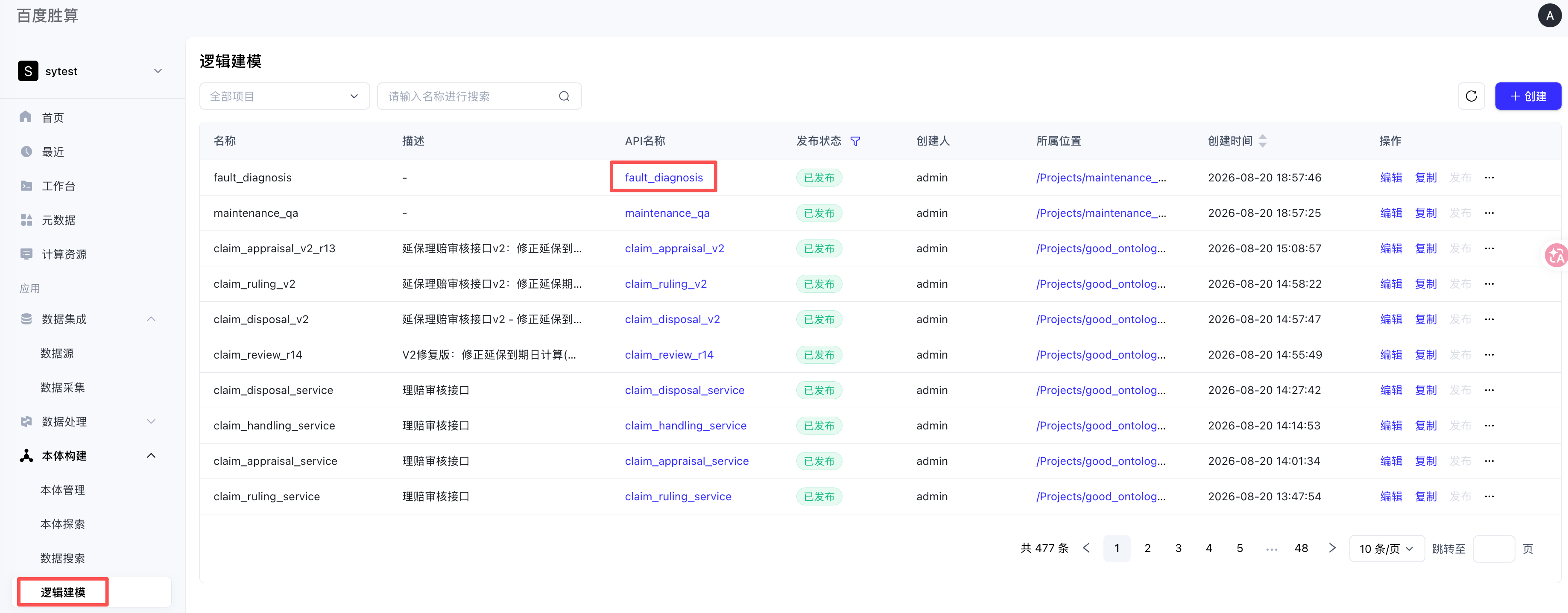
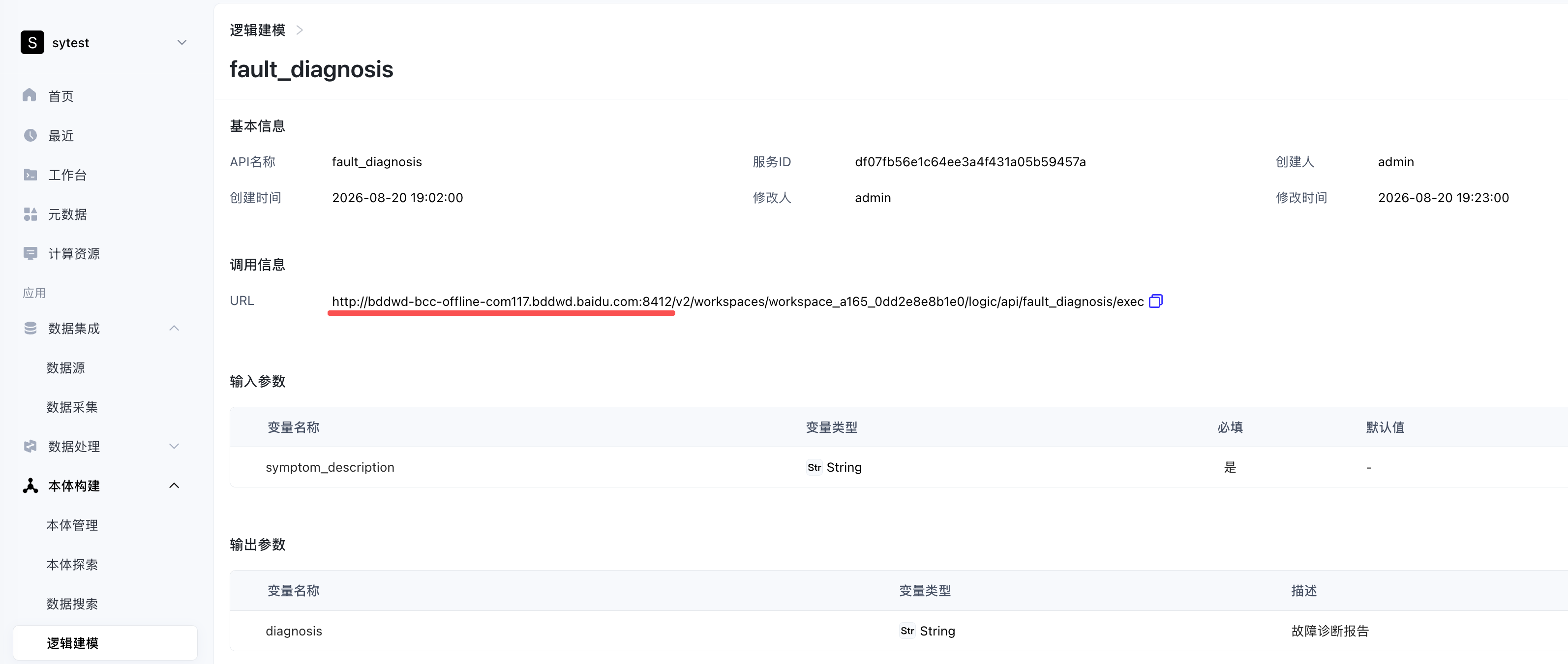
网关地址查看对应logic的api详情中获取。
评价此篇文章