
Manage Delivery Task
Last Updated:2025-11-14
View logshipper details
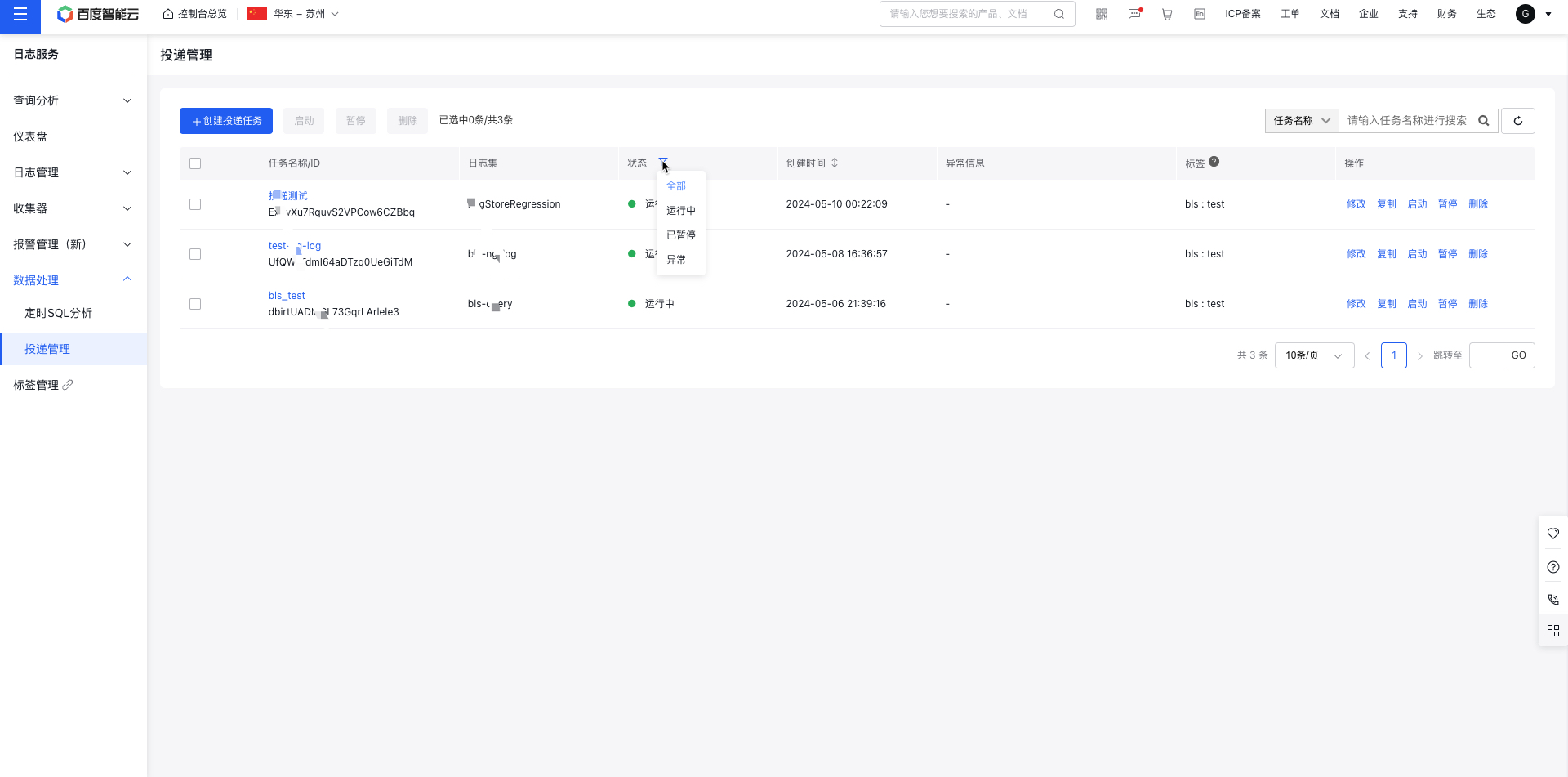
- Once a logshipper is created successfully, navigate to the Log Service - Data Processing - Logshipper List page.
- By default, all logshipper names, task IDs, LogStore, statuses, creation times, and exception messages are displayed. Use the Status filter to select tasks under Running, Abnormal, or Paused states.
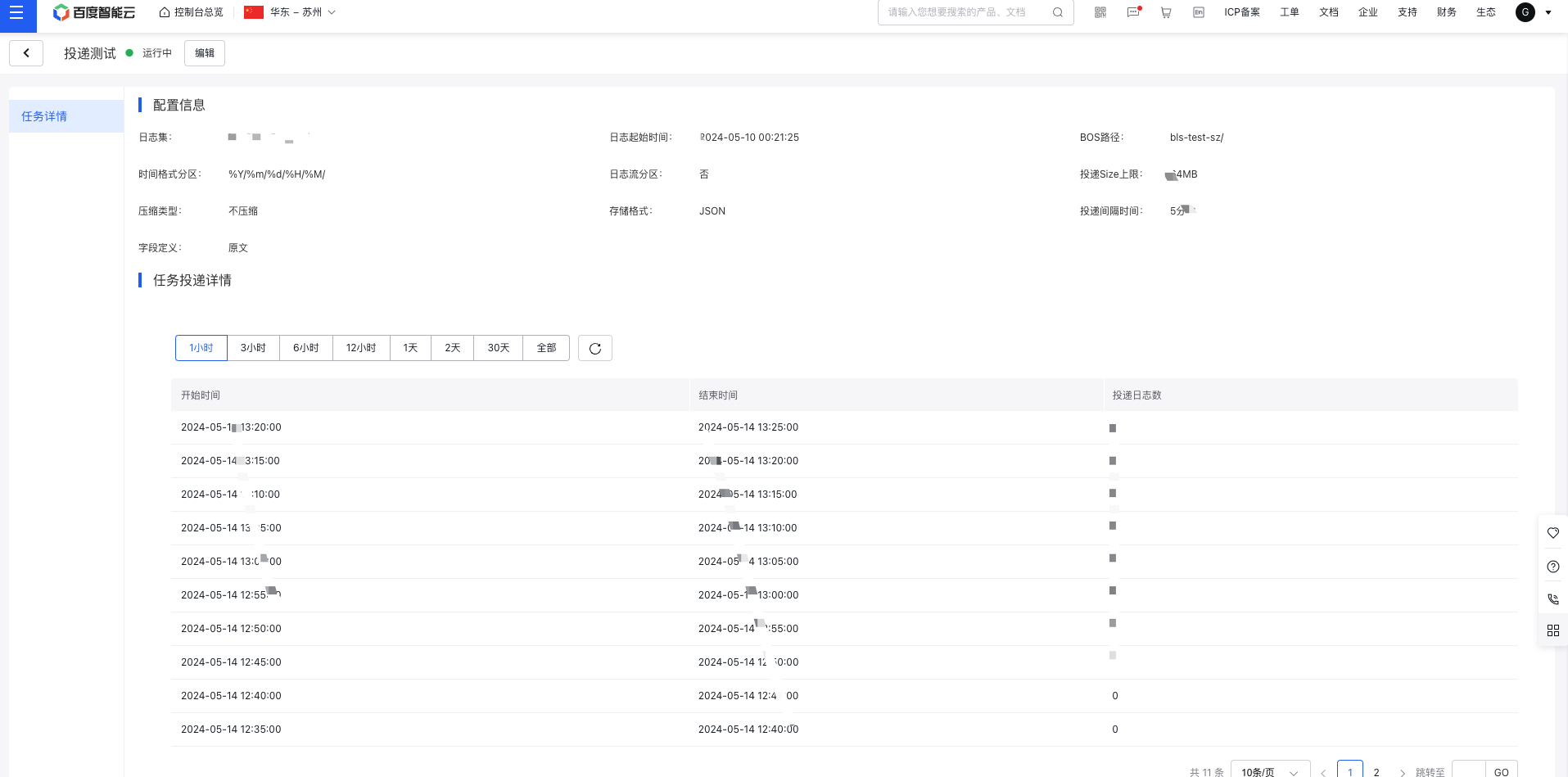
- Click the logshipper name to access its details page, reviewing the configuration and task delivery details.
Edit/start and stop/delete/copy logshipper
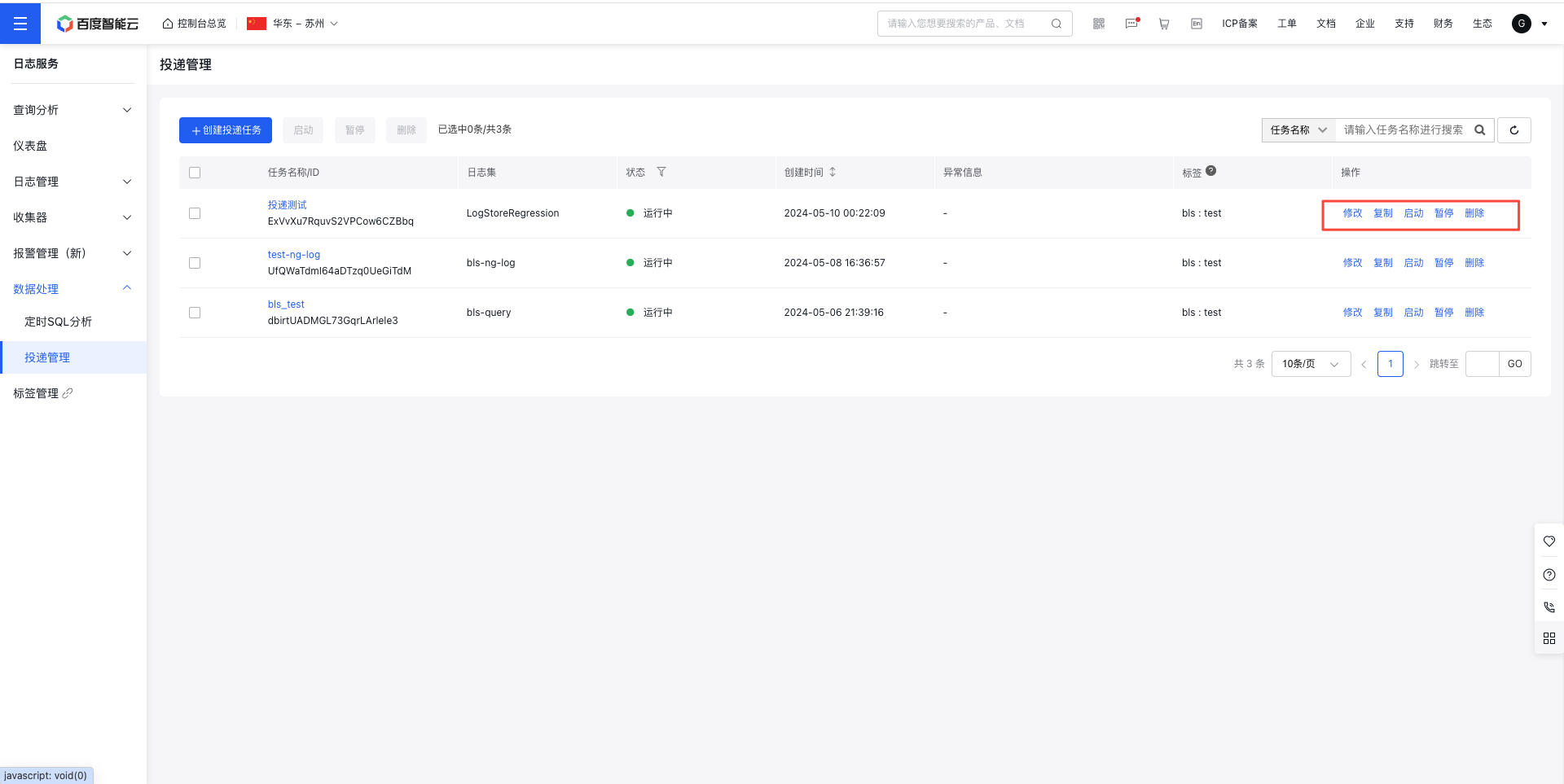
- Locate the relevant logshipper by task name, task ID, or LogStore, then click Modify in the right-side operation bar to update the delivery configuration.
- For logshippers in a Paused status, click Start in the operation bar to resume the task. To restart multiple paused tasks, click the Start button at the top of the page for batch operations.
- For logshippers in a Running status, click Pause in the operation bar to stop the task. To pause multiple running tasks, use the Pause button at the top of the page for batching.
- To remove a specific logshipper, select Delete in the operation bar or use the Delete button at the top of the page for batch removal.