Alarm history
Last Updated:2025-11-14
Function overview
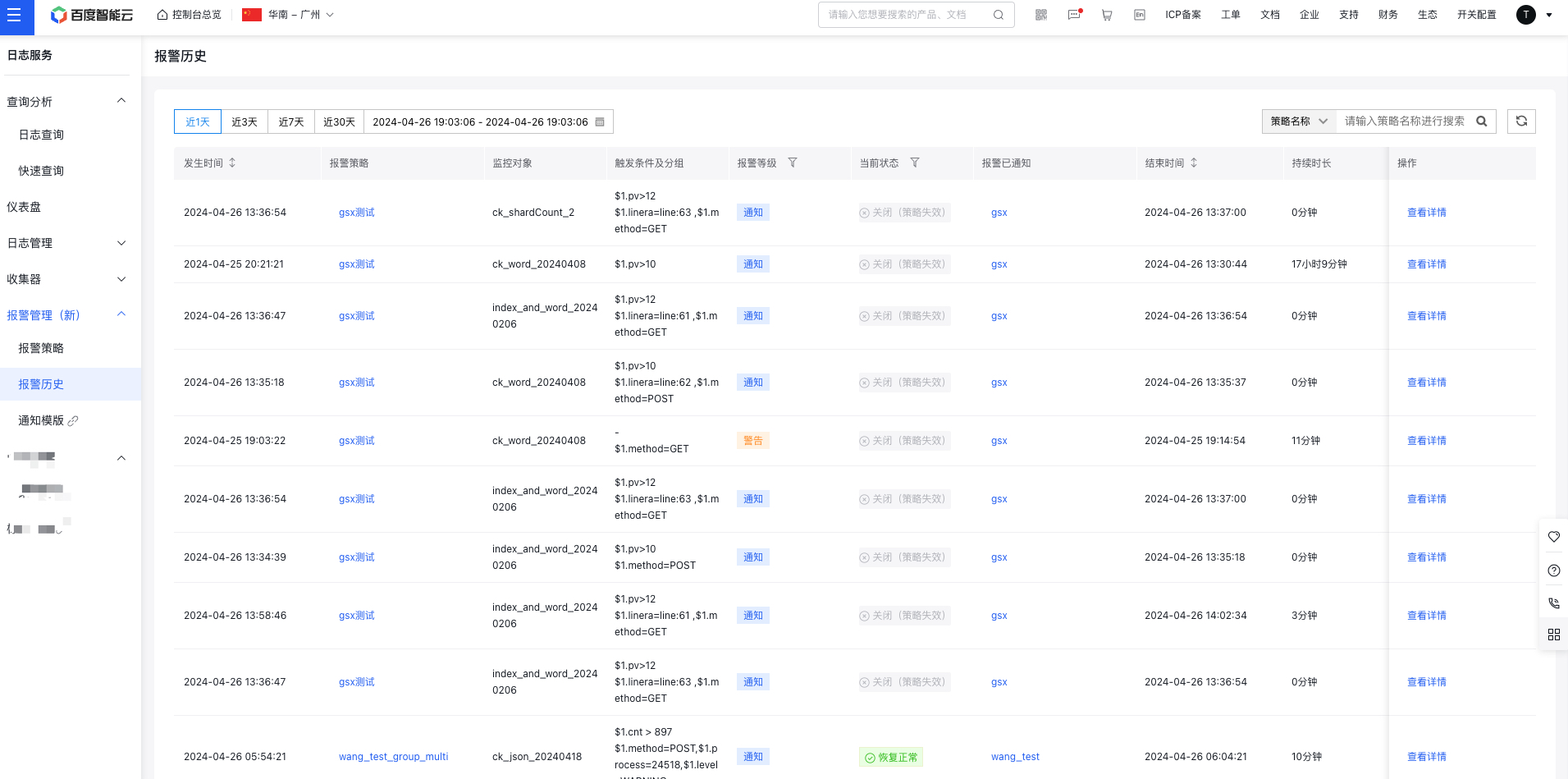
When an alarm is triggered, the Alarm History page lets you filter information based on criteria like monitored object LogStore search, alarm level, and current status.
View alarm history
- Sign in to Baidu AI Cloud, select Baidu Log Service (BLS), click Alarm Management and Alarm History in the left navigation bar to access the Alarm History List page to view all alarm histories. The list displaysx the alarm level, monitor object, trigger conditions, current status, and notification recipients of each alarm. Click under Actions to redirect to Alarm History Details for viewing, or click
to see the alarm's policy details
View alarm details
- Log in to Baidu AI Cloud, select Baidu Log Service (BLS), and navigate to Alarm Management -> Alarm History in the left navigation bar to access the Alarm History List page.
- On the Alarm History page, click View Details to open the Details page for the specific alarm event.
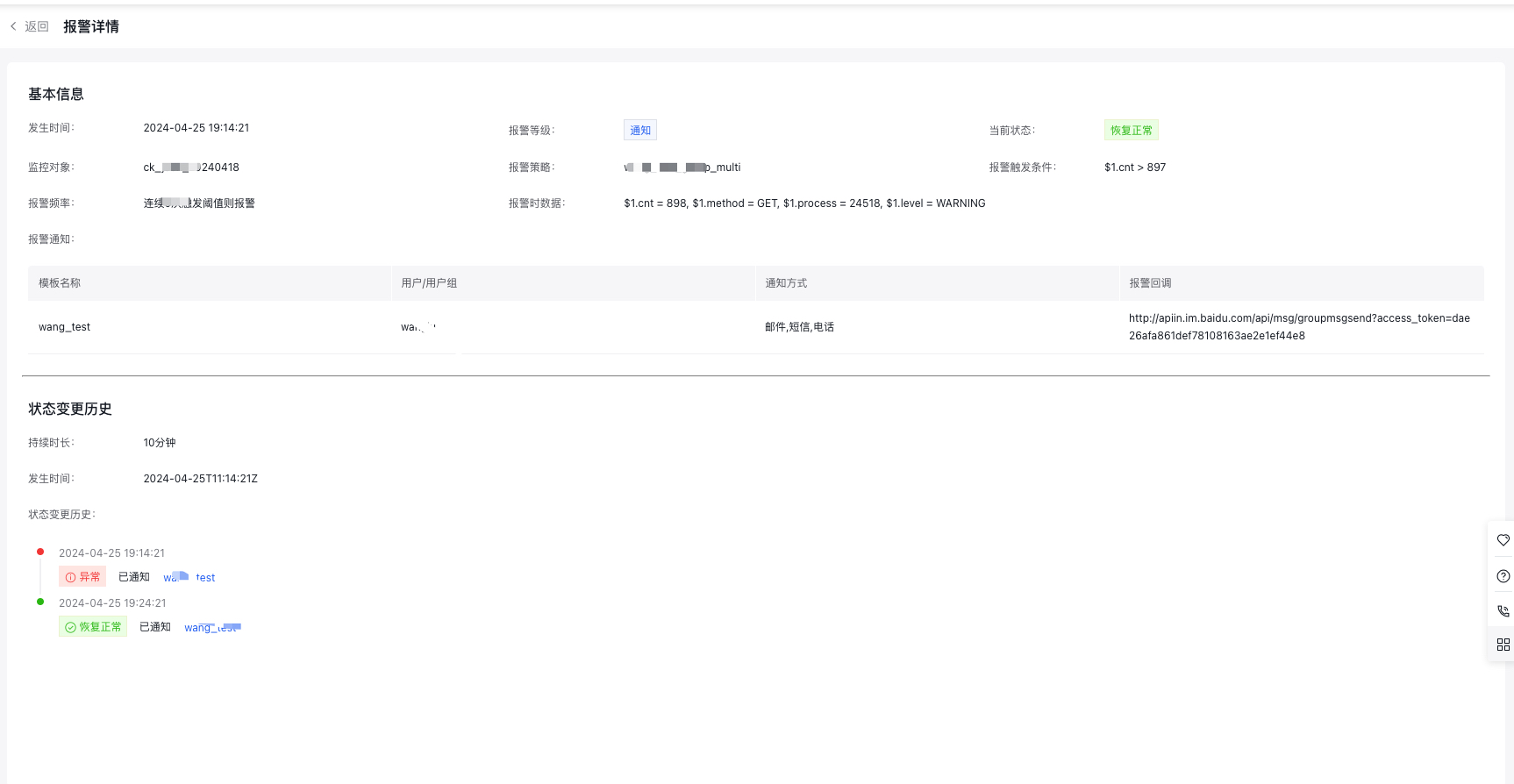
- In the Alarm Details page, view the basic information of the alarm and status change history of the alarm event.