
Create Transmission Task
Last Updated:2025-11-14
The specific operation of creating a transmission task is introduced in this document by taking the collection of the continuous logs under "/home/work/nginx_logs" as an example:
- Navigate to the Log Service page, click Logging -> Transmission Task to access the Transmission Task List, then click Create Transmission Task to open the creation page.
- In the “Task Information” section, enter the task name “nginx_logs” without adding tags.
-
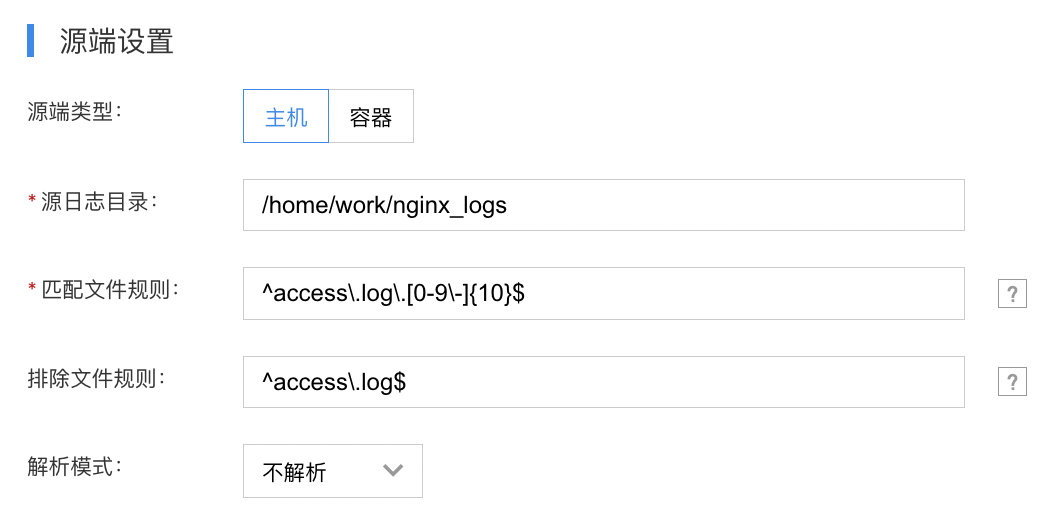
In the "Source Location Settings" zone, select Host as the source location type and configure the following parameters:
- Source Log Directory: Enter: /home/work/nginx_logs.
- File matching rule: Enter a regular expression. Files matching with the regular expression will be monitored and collected. Common regular expression syntax and writing examples are as follows:
| Symbols | Description |
|---|---|
| . | Match any character except line breaks |
| \w | Match letters, numbers, or underscores |
| \s | Match any blank character |
| \d | Match numbers |
| \b | Match the prefix or suffix of a word |
| ^ | Match the prefix of a string |
| $ | Match the suffix of a string |
| * | Repeat zero or more times |
| + | Repeat once or more times |
| ? | Repeat zero or once |
| {n} | Repeat n times |
| {n,} | Repeat n or more times |
| {n,m} | Repeat n to m times |
| [^a] | Match any character except a |
| [^abc] | Match any character except abc |
| (?!abc) | Deny the prefix to exclude the abc string |
| \D | Match any non-numeric character |
| \S | Match any non-blank character |
Example:
1.Match all files ending with .log: .*.log$
2.Match specific file like service1.log: ^service1.log$
3.Match multiple log files like service1 or service2: ^(service1|service2).log$
4.Match all log files except service3: ^(?!service3.log$).*.log$
5. Match files like service.log.2016-01-01_123 with date and incremental suffix numbers: ^\w*.log.\d{4}-\d{2}-\d{2}_\d*$- Exclusion File Rules: Enter a regular expression. Files matching the pattern will not be monitored or collected. Files actively being written can be excluded to prevent transmission errors. Refer to the file matching rules above for specific rule examples.
-
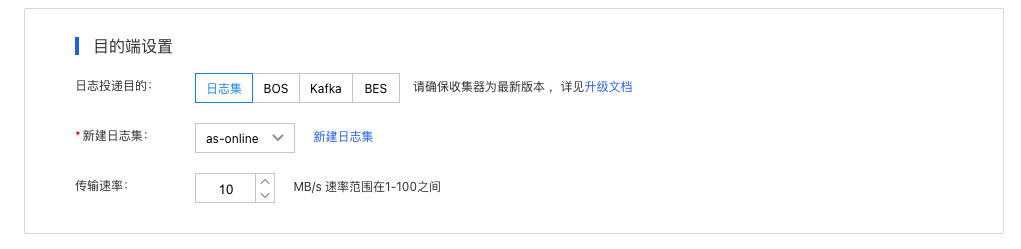
In the "Destination Location Settings" zone, select LogStore as the destination location and configure the following parameters:
- LogStore: Select an created LogStore; for LogStore function, please refer to LogStore.
- Transmission rate: 10 MB/s by default, supported rate range: [1-100] MB/s.
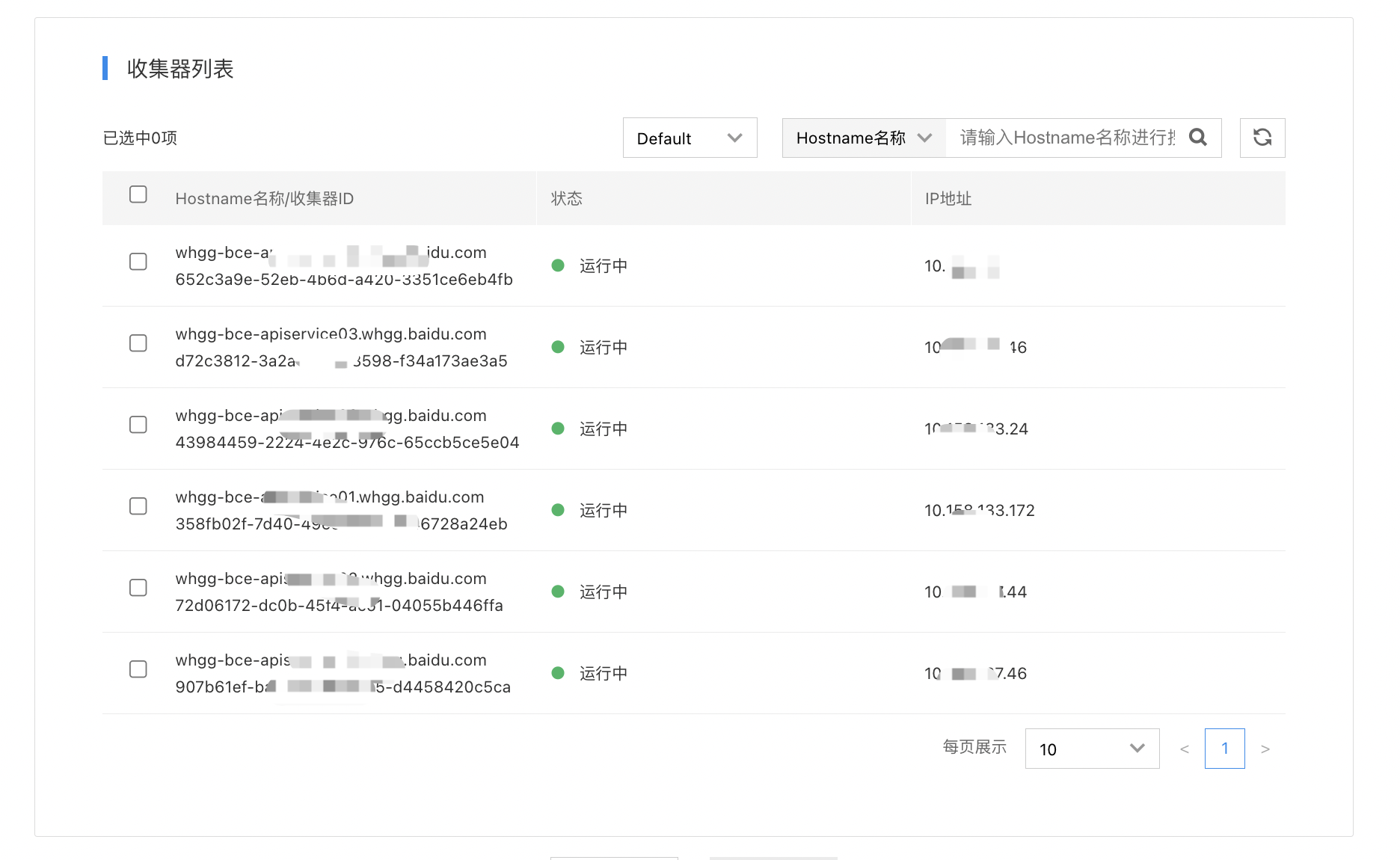
- In the agent list, add the agent required to deploy this transmission task.
- Click “OK” to complete the transmission task creation. It will take effect within 3 minutes at the latest.