Set Agent Startup Parameters
Overview
To prevent the agent from overusing server resources and disrupting other services, the agent’s performance is restricted in the log service. If you need to enhance the agent’s collection performance, you can modify the allowed CPU core count threshold for the agent. This document explains how to configure the agent’s startup parameters for both host and Kubernetes (k8s) environments.
Configure scenarios
You can modify the agent’s resource configuration under the following circumstances.
- High log data traffic leads to excessive CPU usage by the agent.
- Log collection delays are observed during query operations.
Set startup parameters in the host environment
1. Open the startup parameter configuration file
- In the Linux environment, the startup parameter configuration file is located under the
installation directory/logbeat/logbeat.yml, defaulting to/opt/logbeat/logbeat.yml - In Windows environments, the startup parameter configuration file is located in
C:\Program Files\Baidu\Logbeat\logbeat.yml
2. Adjust startup parameters as necessary.
Example of startup parameter configuration file:
management:
  enabled: true
  token: 1e05de1f-****-****-****-a04963f8e65c
  token_list: [ ]
  bls_server_address: https://bls.bj.baidubce.com:8185
  tasks: [ ]
max_procs: 1| ConfigMap | Types | Description |
|---|---|---|
| management.token | string | Token configured during agent startup |
| management.bls_server_address | string | endpoint corresponding to the bls region |
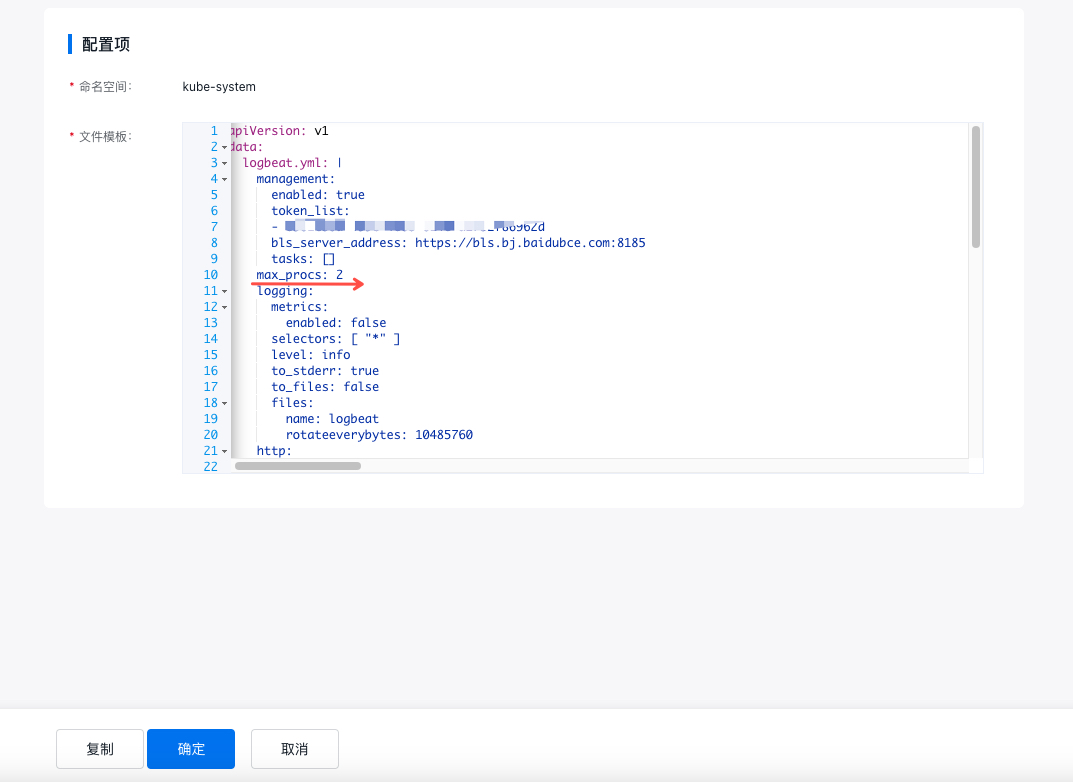
| max_procs | int | Specify the CPU threshold allowed for the agent. The range is from 1 to the total CPU core count of the current machine, with a default value of 1. |
3. Restart the agent
- In the Linux environment, execute
service logbeatd restartor/opt/logbeat/bin/restart.sh -
Windows environment:
Step I: Stop the agent process: C:\Program Files\Baidu\Logbeat\stop.bat
Step II: Restart the agent process: C:\Program Files\Baidu\Logbeat\start.bat
Set startup parameters in the k8s environment
In k8s environment, you need to modify the agent configuration file by modifying the configmap
kubectl edit configmap -n kube-syetem logbeat-global-configmapModify startup parameters directly on the CCE platform for CCE containers
- Log in to Cloud Container Engine Console (CCE)
- In the left navigation bar, click on the cluster list.
- On the Cluster List page, click on the desired cluster to open the cluster management page.
- Select Configuration Management - ConfigMap in the left navigation bar, and locate the corresponding ConfigMap
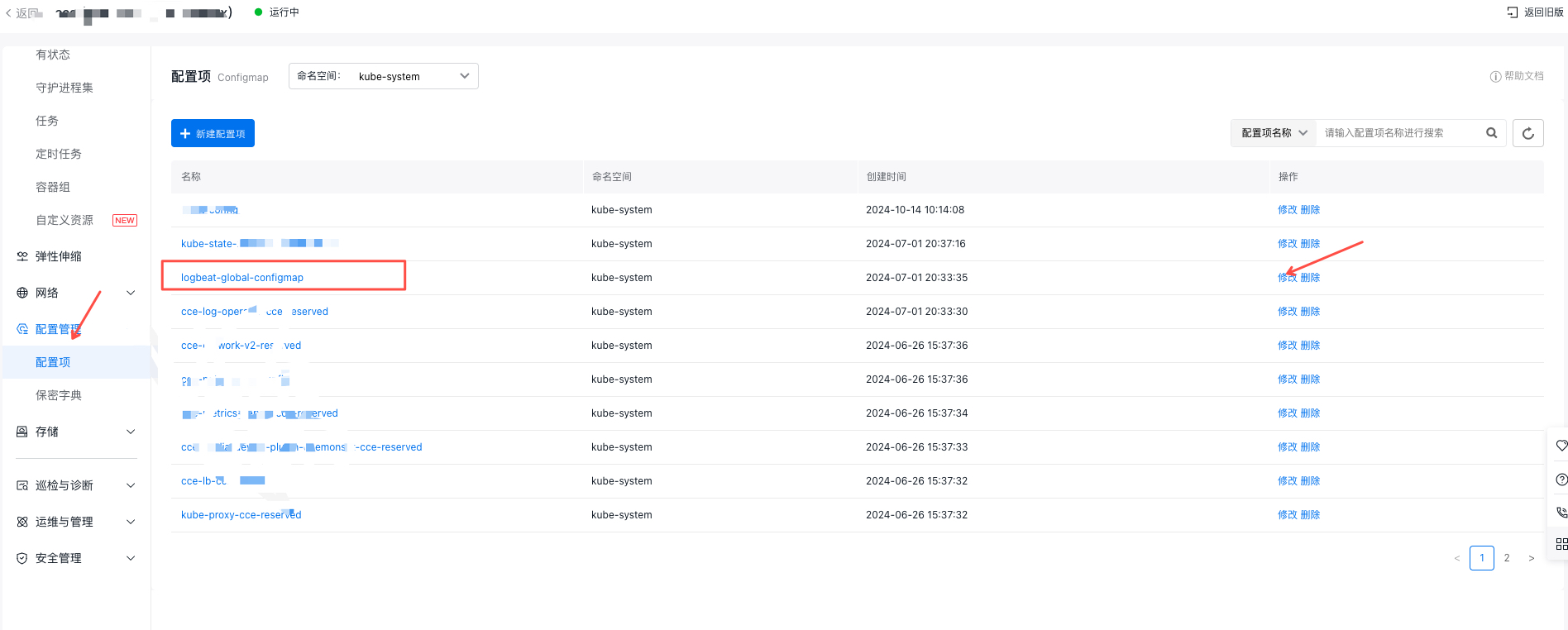
- Click Modify to modify the max_procs parameter and confirm for immediate effect