

开发通用程序
更新时间:2026-06-04
安装依赖工具
在开始之前,请确保你的系统上已经安装了以下工具:
Plain Text
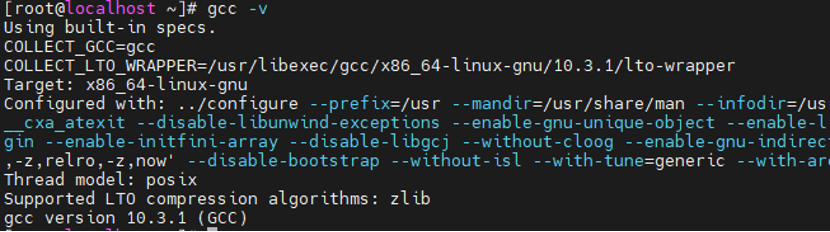
1# yum groupinstall "Development Tools"检查GCC是否安装
编写并运行C程序
- 创建工作目录并进入
Plain Text
1# mkdir -p /root/c_demo
2# cd /root/c_demo- 编写一个hello源代码文件
Plain Text
1# vim hello.c
2// 程序功能:Linux下第一个C语言程序,输出Hello World + 系统信息
3#include <stdio.h>
4#include <unistd.h>
5#include <string.h>
6
7int main() {
8   // 主函数,程序入口
9   printf("=================================\n");
10   printf("  Hello Linux C !  你好,C语言! \n");
11   printf("=================================\n");
12   printf("程序运行成功!\n");
13
14   char hostname[256]; // 声明一个字符数组来存储主机名
15   if (gethostname(hostname, sizeof(hostname)) == 0) {
16       printf("当前系统主机名:%s\n", hostname); // 正确输出主机名
17   } else {
18       perror("获取主机名失败"); // 错误处理
19   }
20
21   printf("程序执行完毕!\n");
22   return 0;
23}- 使用GCC编译C语言源代码
Plain Text
1# gcc hello.c -o hello编译命令参数说明:
- gcc :调用GCC编译器的核心指令;
- hello.c :待编译的C语言源文件名称(必须带.c后缀);
- -o :output的缩写,指定编译后生成的可执行程序名称;
- hello :自定义的可执行程序名称(无后缀,可自定义为任意名称,例如app、test等)。
- 运行编译好的C语言可执行程序
Plain Text
1# ./hello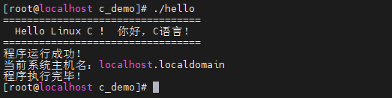
评价此篇文章