

客户端卸载
更新时间:2026-07-24
Linux Agent卸载
- 使用root登录您的Linux机器
-
删除crontab任务
-
执行命令删除heyeAgent cron任务文件
C++1rm -f /etc/cron.d/hosteye_upgrade -
执行命令crontab -e,删除heyeAgent cron任务,如下包含如下路径的任务(任务可能不存在,不存在则忽略即可)
C++1/opt/heyeAgent/bin/upgrade
-
-
停止进程并删除安装目录
C++1killall -9 heyeAgent && rm -rf /opt/heyeAgent -
确认完成卸载
-
确保无heyeAgent进程在运行
C++1ps -ef | grep heyeAgent
-
确认目录已删除,/opt目录下无heyeAgent
C++1ls -al /opt/heyeAgent
-
Windows Agent 卸载
- 使用administrator登录您的Windows机器
-
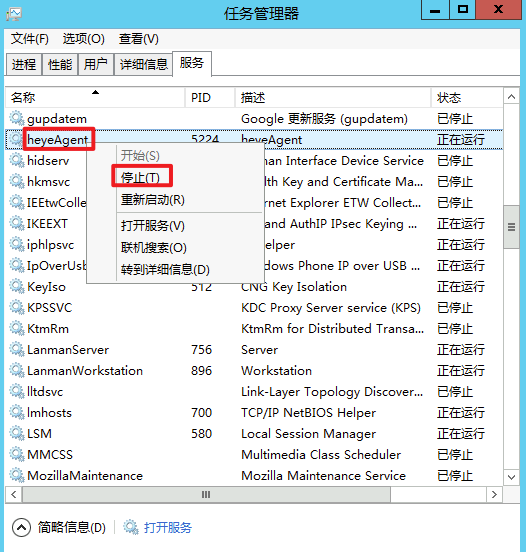
打开任务管理器,在<服务>tab页找到heyeAgent服务,右键选择停止如下图:
- 在服务停止后,删除C:\Program Files (x86)\heyeAgent文件夹
- 打开cmd并执行如下命令,删除heyeAgent服务
C++
1sc delete heyeAgent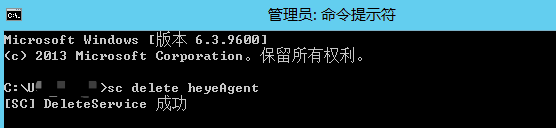
评价此篇文章